
What Is Plytix Feed Management?
By the Plytix Team · Updated May 14, 2026
TL;DR
- A Feed Management Tool (FMT) takes your product data and distributes it to sales and advertising channels in the exact format they require.
- You probably need one if you’re constantly tweaking spreadsheets, adjusting channel formats, or dealing with product disapprovals.
- Most Feed Management Tools connect product data to channels with mapping, rules, and scheduled syncs, but they depend on the quality of the data you feed them.
- Plytix Feed Management stands out because it is built on top of your PIM, so teams can improve, validate, and structure product data before syndicating it to 350+ channels without building one-off exports or juggling files.
Feed Management Comparison: Jobs to be Done
| Jobs to be Done | Other FMTs | Plytix Feed Management |
|---|---|---|
| Connecting to marketplaces | Connect to channels, but often need separate systems to prep data. | Connect marketplaces, ad channels, and custom feeds directly from the same place you manage product data. |
| Handling retailer specs | Require manual mapping and ongoing tweaks per template. | Use 350+ prebuilt templates or export via CSV, XML, or NDJSON from one standardized catalog. |
| Meeting technical requirements | Rely on generic rules that can be hard to manage at scale. | Apply attribute-level transformations scoped to specific feeds without touching your source data. |
| Image Formatting | Often handled in separate tools or not supported at all. | Automatically resize, rename, or convert images at export while keeping originals intact. |
| Avoiding product disapprovals | Validate file structure, but not underlying product quality. | Use Completeness Tracking and rules so only ready, compliant products are sent. |
| Scheduling updates | Support periodic syncs from your source. | Schedule automatic feed processing so every channel stays up to date without manual exports. |
What is a FMT and why you may need one
A Feed Management Tool (FMT) is software that distributes your product data to sales and advertising channels and transforms it into each channel’s required format. In practice, that usually means generating compliant feeds for marketplaces like Amazon, Google Shopping, social ads, comparison engines, and retailer‑specific portals.
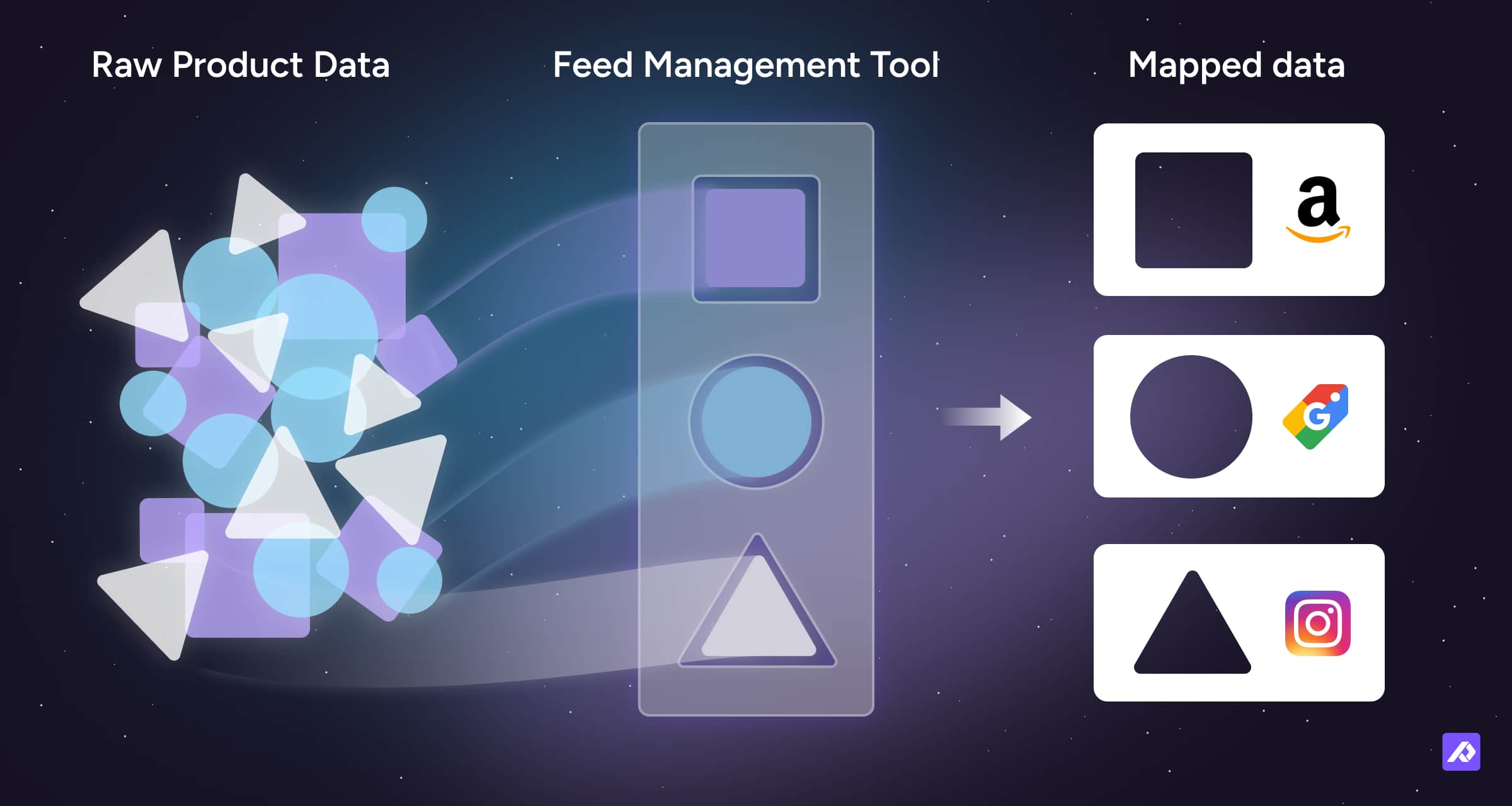
You probably need a feed management solution if:
- You spend hours filling out different spreadsheets or CSVs for each retailer or marketplace.
- You manage multiple stores or regions (for example, separate US and UK Shopify stores) and struggle to keep them aligned.
- You upload product feeds manually every time prices, titles, or availability change.
- You constantly adjust files to match different formatting rules, taxonomies, and image requirements.
- You deal with product disapprovals caused by missing, incomplete, or incorrectly formatted data.
On its own, a traditional FMT can help automate exports, but its value is capped by the quality of the data it receives. That’s why combining feed management with a PIM can have a disproportionate impact on reliability and speed.
What most Feed Management Tools offer
The feed management market has matured to the point where a baseline set of features is common across tools. Most platforms are designed as data bridges: they take product data from your ecommerce platform, PIM, or ERP and push it out to channels in the right technical format.
Standard capabilities usually include:
- Channel mapping: Matching your internal product fields to each marketplace’s or retailer’s required attributes.
- Rule‑based logic: Applying simple rules to transform or combine fields—like adjusting titles, appending brand names, or mapping categories.
- Scheduled syncing: Automating export and delivery to channels on a set schedule, so listings stay up to date.
- Feed file and URL outputs: Generating CSV, XML, or similar feed formats for ingestion into marketplaces or other FMTs.
Where most tools fall short is upstream data quality. They validate structure and formatting, but they don’t help you fix incomplete, inconsistent, or poorly organized product data at the source, which means errors still show up late in the process.
What Plytix Feed Management does differently
Plytix combines PIM and feed management in a single platform, so you can enrich, validate, and distribute product data without hopping between systems or duplicating work in spreadsheets.
Instead of only formatting data for channels, Plytix helps you fix and prepare that data before it gets there.
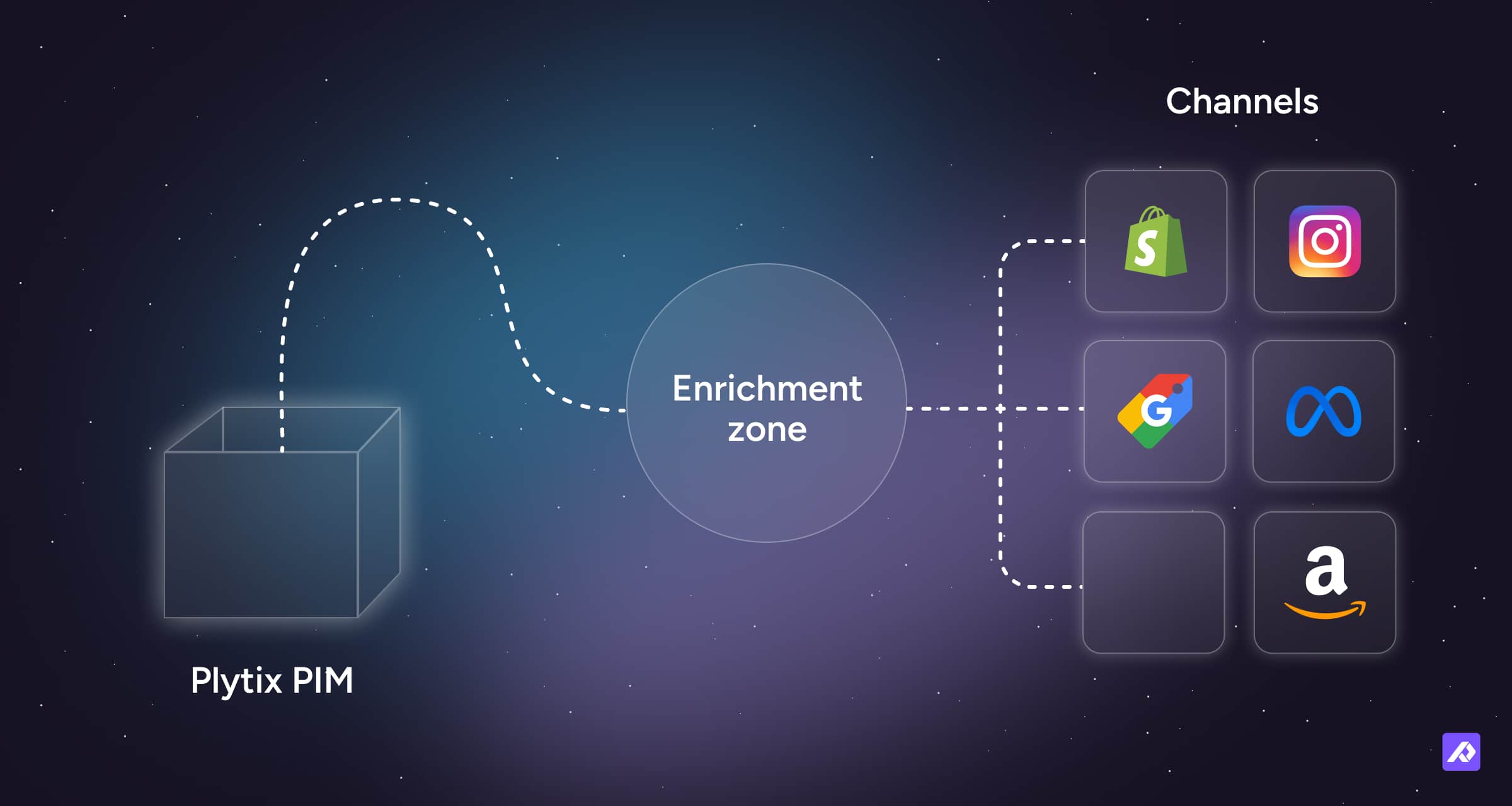
Some practical differences that matter day to day:
- Built on a single source of truth: Product content lives in Plytix, and every feed pulls directly from that centralized catalog, so fixes only need to be made once
- Simple mapping and transformations: Match attributes to retailer requirements with a visual interface, then apply feed‑specific formulas and rules without changing your core data
- Controlled distribution: Use Smart or Static Lists to control exactly which products appear in each feed (for example, by channel, market, or assortment)
- Fast channel setup: Start from 350+ templates for marketplaces, advertising platforms, comparison engines, and custom retailer feeds instead of building every export from scratch
- Flexible ecommerce connections: Connect directly to Shopify and BigCommerce, while preparing clean, structured product feeds for Magento, WooCommerce, and other ecommerce platforms.
Plytix and Shopify are a particularly strong match. Many agencies and partners recommend Plytix as the product content and feed management layer for Shopify because the integration lets teams create, update, and syndicate Shopify product data from one place, without custom development.
Is Plytix the right fit for you?
Plytix Feed Management is designed to support a wide range of ecommerce operations, from growing brands to established global teams. It is especially powerful if you are:
- A growing D2C brand: Expanding beyond a single store and needing to keep product data consistent across Shopify, marketplaces, and paid channels.
- A wholesaler or distributor: Regularly generating custom product feeds for retail partners who each have their own templates, specs, and update cadences.
- A global business: Managing multiple languages, currencies, and regional product rules from one central catalog while still meeting local channel requirements.
If your team is already feeling the strain of manual spreadsheets and ad‑hoc exports, bringing feed management into the same system as your product data can significantly reduce bottlenecks and launch risks.
FAQs
Frequently Asked Questions
No. Plytix charges a single flat fee for feed management that covers unlimited feeds and syncs, so you can add new channels without renegotiating line items.This is the answer
The Shopify integration connects Plytix directly to your Shopify store through the Shopify API. This lets you create and update products, sync product content, and manage Shopify data from Plytix without relying on manual CSV uploads or custom development.
Yes. If a retailer or partner provides their own template, you can upload it into Plytix, map your attributes to their required fields, and generate feeds that match their exact specifications.
You can schedule feeds to process automatically at regular intervals (such as hourly, daily, or weekly) so your channel listings always reflect your latest product data without manual exports.
No. Plytix is designed for marketing, ecommerce, and merchandising teams, with a visual, template‑driven setup that does not require coding or custom scripting.
Plytix supports 350+ channels out of the box, including Amazon, Google Shopping, Meta, TikTok, and major retail partners, and also allows you to build custom feeds for any channel not in the template library.
Yes. Plytix is a strong fit for Shopify teams that also sell through marketplaces, ad channels, retail partners, or other ecommerce platforms.
Shopify works well as a storefront, but if you manage feeds directly from Shopify, you are often limited by the product data you store there. That can become a problem when other channels need different attributes, formats, titles, images, or localized content.
Plytix gives Shopify teams a richer product content layer. You can manage, enrich, and structure product data in Plytix, then send clean, channel-ready feeds to Shopify and everywhere else you sell.