
Plytix Implementation: The CAS Framework and Your First 90 Days
By the Plytix Team · Updated May 13, 2026
Reading time: 10 minutes
TL;DR
Plytix implementation is built around CAS, a practical framework for identifying your Channels, defining your Attributes, and establishing your Sources of truth. Over your first 90 days, this gets your content flowing, your first channel live, and your team confident, fast.
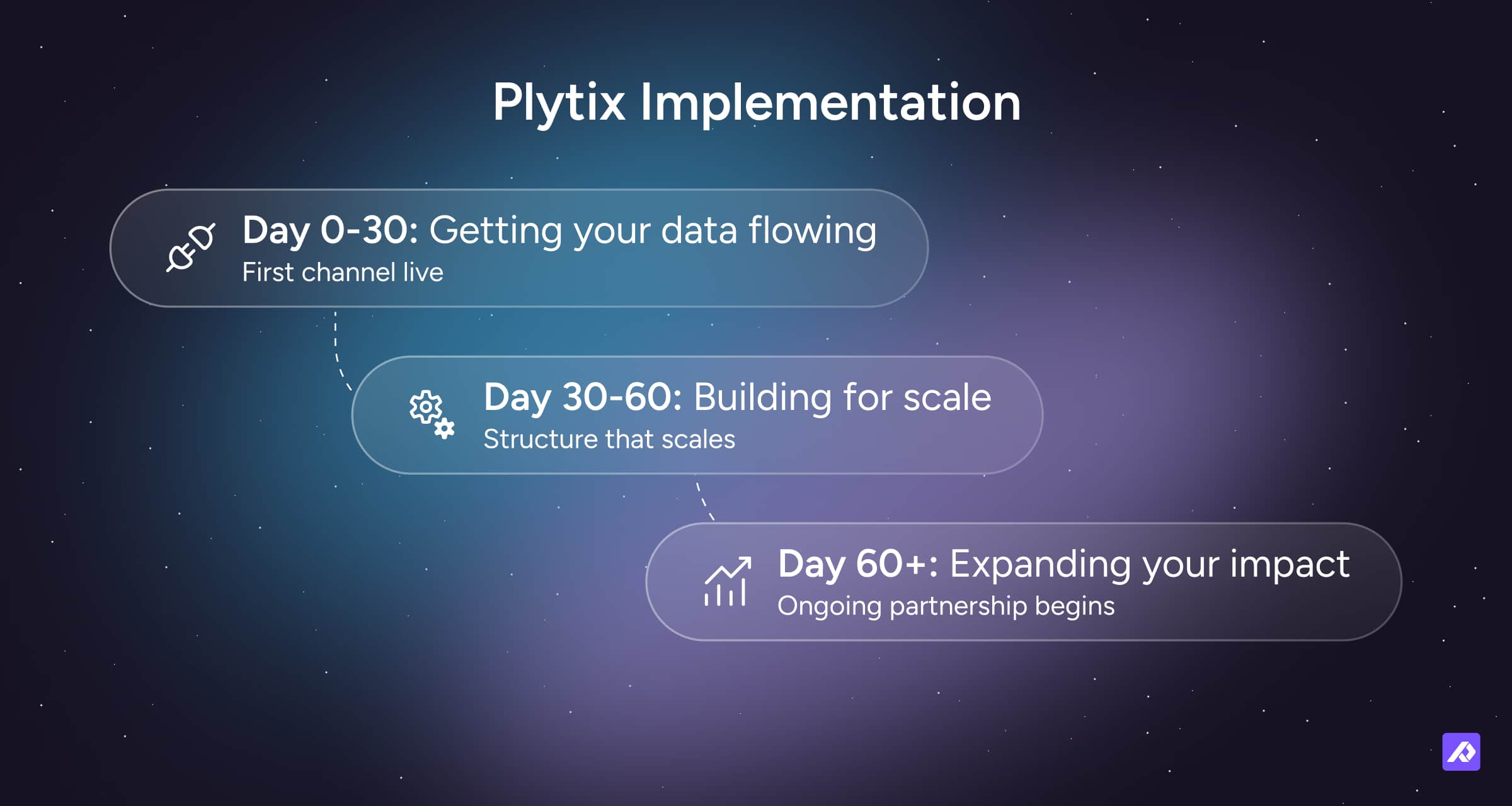
- Day 0-30: get your data flowing to your first channel.
- Day 30-60: build the structure that makes Plytix genuinely powerful.
- Day 60+: onboarding complete, your Account Manager takes over as your long-term partner.
- Available as Standard or Purple, depending on how hands-on you want us to be.
What is CAS?
CAS stands for Channels, Attributes, and Sources.
- Channels: we start by identifying the channels you need to support, such as your website, marketplaces, feeds, or retailers.
- Attributes: we then define the attributes required for those channels.
- Sources: finally, we establish the source of truth for each piece of information, so your team knows where content comes from and who owns it.
This gives your implementation a clear foundation instead of trying to organise everything at once. The goal isn't to get every product and every channel perfect on day one. It's to prove a working end-to-end flow first, then scale from there.
Real People Helping You
When you sign with Plytix, you're not just buying software, you're getting a fully managed service.
A dedicated Onboarding Manager guides you through technical setup and implementation, so you're up and running as quickly as possible and seeing a return on your investment from day one.
Once onboarding is complete, your named Account Manager takes over as your long-term partner, making sure you're getting the most out of the platform. They'll help you prioritise the channels and use cases that create the most value, provide ongoing training, test and troubleshoot your data, and be available for support via meetings, calls, and emails.
Kick-off Session
The kick-off isn't just a first call. It's where we make sure the next 90 days don't get derailed by a decision that should have been made on day one.
We cover:
- Aligning on your markets, channels, and tech stack connections.
- Defining your parent/variant structure and who owns what data.
- Scoping what we're implementing first and agreeing on success milestones.
- Goal and deadline setting with all stakeholders involved.
By the end, we have a clear scope for what we're implementing first and a shared list of anything still missing.
Day 0-30: Getting Your Data Flowing
The fastest path to ROI with Plytix is getting your most important revenue channel live as quickly as possible. Everything in this stage is designed to make that happen.
Together, we:
- Connect your systems and get your product data flowing into Plytix automatically, no manual uploads needed.
- Build out your first attributes, aiming for a solid base to build from.
- Link your assets to products, so your channels get the right images without manual matching.
- Get your priority revenue channel live and exporting clean product data. This is your first real ROI moment.
We close this stage with a check-in call to review progress and plan the next 30 days.
Outcome: your most important revenue channel is live. Your data is flowing. The foundation is in place.
Day 30-60: Building for Scale
With your data flowing, this stage is about building the product data structure that makes Plytix genuinely powerful for your team. These are the features that separate teams who get real value from those who don't.
Together, we:
- Structure your product categories, so your team can navigate and manage products at scale.
- Set up product families and variants, so shared data cascades to variants automatically, no repetitive data entry.
- Configure completeness tracking, so you can see at a glance which products have gaps and fix them before they cause problems downstream.
- Get formulas live to automate the calculation and transformation of product data.
- Configure channel data transformations, so each channel gets exactly the data it needs, in exactly the right format, automatically.
- Build your attribute base out further, deep enough to drive quality output across every channel.
We close this stage with a check-in call to confirm you're set up for success and introduce your Account Manager.
Outcome: a product data structure that scales. Your team working from clean, complete, consistent data. Ready for everything that comes next.
Day 60+: Expanding Your Impact
Plytix is set up and your team is working in it daily. This stage is about unlocking the features that compound your return: automation, AI, and additional channels. There's no deadline here, it's open-ended, and you move through it as you explore.
- You're introduced to your named Account Manager, your long-term partner who knows your setup and your goals.
- You set up your first automations, removing repetitive manual work for good.
- You try AI Edits to speed up product content creation.
- You connect additional channels, multiplying the value of the product data you've already built.
- You explore Brand Portals or Product Data Sheets to share rich product content with retailers and partners.
Outcome: ongoing strategic support from your named Account Manager. A Plytix setup that keeps improving as your business grows.
Standard or Purple?
Both paths follow the same CAS framework and the same 90-day shape. The difference is how hands-on we are along the way.
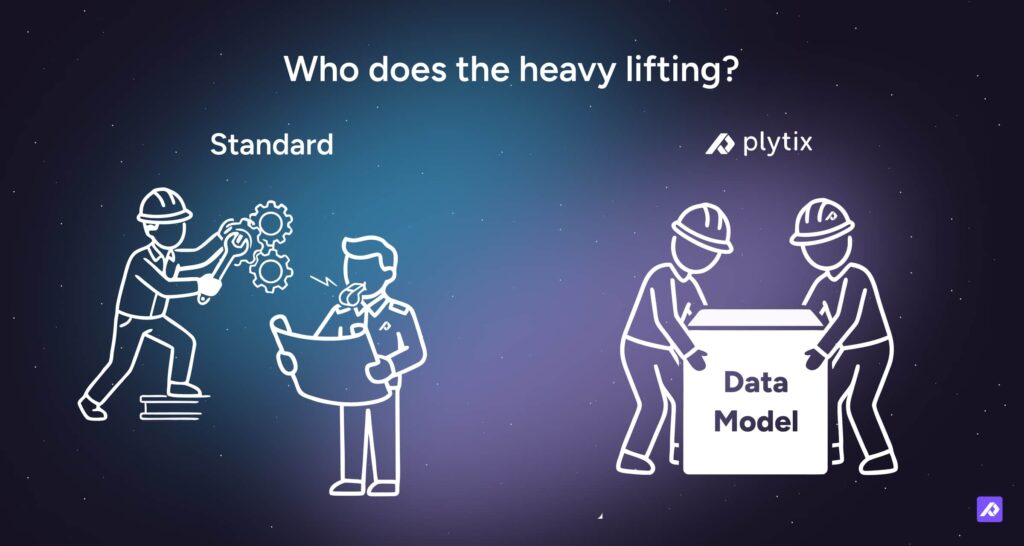
Standard is guided: you drive most of the setup, and we're there to advise, review, and unblock when you need us.
Purple is more collaborative: we work alongside you at each stage, sharing more of the build work, particularly on the parts that tend to slow teams down.
Which one makes sense depends on your internal capacity, the complexity of your setup, and how quickly you want to move.
Support
- Help Center articles and training videos.
- Online Help Desk and AI assistant.
- Dedicated Account Management.
What Do We Need From You Before Kick-off?
| What we need | Example | Why it matters |
|---|---|---|
| Sample export | ERP CSV with SKUs, titles, prices, and variants | Enables fast mapping and testing |
| Variant rules | Parent and variant logic | Avoids rework mid-implementation |
| First market and channel | ES + Shopify | Keeps scope tight |
| Channel field requirements | Retailer template or Amazon fields | Ensures output works first time |
| Field owners | Specs = Product Ops | Keeps data clean post-launch |
| Asset access | Image URLs or DAM access | Prevents missing images at export |
If you're missing something on this list, that's fine. We'll start with what you have and fill the gaps as we go.
Who Needs to Be Involved?
| Role | Main decisions | Main inputs | Typical time |
|---|---|---|---|
| Project owner | Priorities and scope | Sign-offs | 30 to 60 min/week |
| IT / Dev | Integrations | Access and authentication | 1 to 2 sessions |
| Data owner | Field standards | Exports and cleanup | 1 to 3 hrs/week |
| Channel owner | What good output looks like | Field requirements | 30 to 60 min/week |
| Marketing (if needed) | Content rules | Copy and images | 1 to 2 sessions |
What Can Extend the Timeline?
Most delays are predictable. The common culprits are:
- No agreed source of truth across multiple systems.
- Variant rules that change mid-project.
- Trying to go live across too many channels at once.
- Underestimating the effort involved in data cleanup.
- Leaving key decisions as 'we'll sort that later'.
The most reliable way to move faster is to start with one market and one channel, prove the flow works end-to-end, and then scale from there.
What Happens After the First 90 Days?
The first 90 days are about proving the process, not finishing the catalogue. Once your first channel is live and the flow is working, scaling is a matter of repeating the same pattern:
- Add another market or language.
- Add another channel output.
- Expand to more product families.
- Improve your completeness rules and enrichment workflows.
Each step gets easier because the foundation, and your Account Manager, are already in place.
Frequently Asked Questions
Not always. If your data comes from spreadsheets or simple exports, you can often implement without IT. If you need APIs, scheduled feeds, authentication, or multiple connected systems, having IT involved will help.
Pick one market and one channel and prove the flow works. Once the process is running reliably for your first slice, repeating it across additional channels and markets is straightforward.
Have a sample export ready, agree on who owns key fields, and decide which market and channel you want to go live first. Those three things prevent most delays.
Fast answers and clean inputs. The best way to stay on track is to quickly confirm markets and channels, provide a representative data export, and sign off on variant logic, naming standards, and required attributes.