
What Is Plytix DAM?
TL;DR
- A Digital Asset Management (DAM) system is a central library for your digital assets, such as images, videos, documents, logos, and other media.
- You probably need one if your team wastes time searching for files, checking which version is approved, or preparing assets for different channels.
- Most DAM systems help store and organize files, but they usually sit separately from your product data.
- Plytix DAM is built as an asset library for product teams, so assets live alongside the product data they support. Plytix connects your assets directly to your product data, so teams can manage, enrich, and distribute product content from one platform without switching tools.
Plytix DAM: Jobs to be Done
| Job to be Done | Other DAMs | Plytix DAM |
|---|---|---|
| Match images to products | Images stored separately from product info | Images linked directly to products |
| Clean up images | Editing in separate tools or by hand | Use AI to enhance images, adjust backgrounds, and improve visuals |
| Prepare for channels | Make separate versions per channel | Resize and rename assets per channel from one source |
| Find missing images | Manual checks | Search shows products missing images |
| Publish faster | Download and upload manually | Assets flow into product feeds and exports |
| Reuse images | Files duplicated across tools and folders | One image reused across products and channels |
| Keep work in one place | Asset work separate from product data | Assets and product data managed together |
What is a DAM system and why you may need one
A Digital Asset Management (DAM) system is a single, centralized media platform where teams store, organize, and share all their digital content. Think of it as an advanced Google Drive or Dropbox; instead of just storing files in folders, a DAM helps teams collaborate and manage file lifecycles.
In an ecommerce context, a DAM usually houses:
- Thumbnails, product photos, and lifestyle shots.
- Product videos, brand stories, and social media clips.
- User manuals, warranty PDFs, and assembly guides.
- Logos, campaign banners, and marketing style guides.
You probably need a DAM if:
- You have multiple versions of the same asset and no one knows which one is approved for the website.
- You waste hours every week manually looking for the images to go with your products.
- Your designers are stuck doing repetitive tasks like resizing images for Shopify or removing backgrounds for Amazon.
- You update a user manual, but the old version still exists on your B2B portal because you forgot where it was saved.
What most DAMs offer
Traditional DAM platforms focus on managing the lifecycle of files:
- Central Library & Search: A single "source of truth" using metadata (tags and keywords) and filtering to find any asset in seconds, preventing files from getting lost.
- Permissions & Governance: Strict security rules and access controls to manage who can view, edit, or download specific high-res files.
- Version Control & Tracking: Automatically tracks changes and keeps files updated so your team never accidentally uses old or unapproved content.
- Workflow & Distribution: Built-in routing for approvals and easy tools for sharing assets with both internal teams and external partners.
These features are useful, but digital assets are usually managed separately from the product data they support.
What Plytix DAM does differently
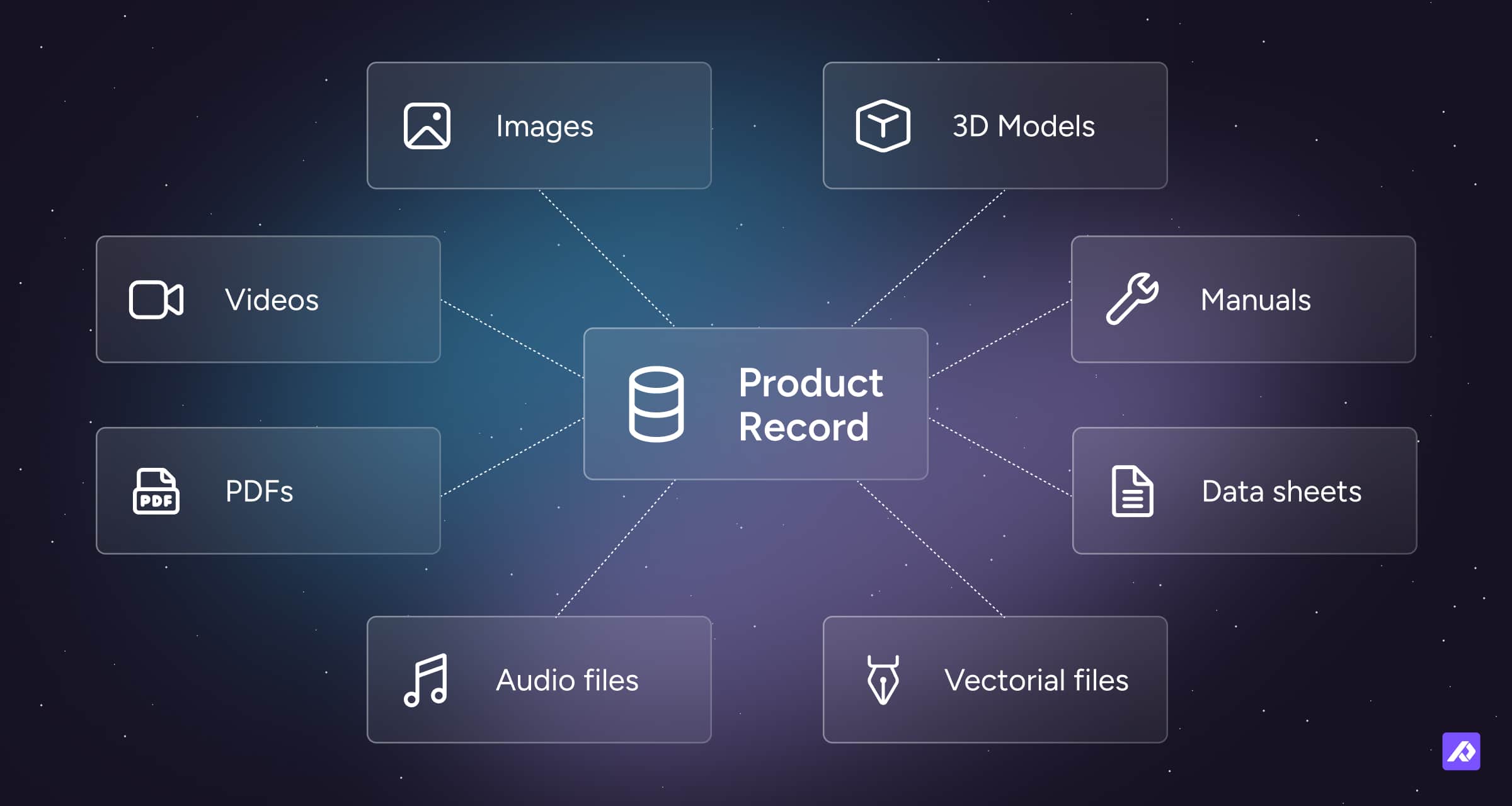
Plytix DAM combines digital asset management with product asset management alongside your Plytix PIM, so your assets live with the product data they support. Instead of storing files in a separate system, your PIM gives product teams a single place to manage digital assets and product information together. Most teams lose time on repetitive asset work, like matching images to SKUs or preparing files for different channels. Plytix removes that manual step by keeping everything connected and ready for distribution.
Built for product workflows, not just storage
Assets are linked directly to products, so teams always know which images, videos, and documents belong to each SKU. Instead of jumping between folders and spreadsheets, you manage the complete product, data, assets, and content in one place.
Ready for every channel
Prepare assets once and reuse them everywhere:
- Resize and rename images for different channels.
- Keep originals intact while generating channel-specific versions.
- Ensure the right assets flow into feeds, exports, and storefronts.
Improve assets as part of the workflow
Plytix includes built-in AI tools to prepare product visuals without leaving the platform:
- Remove or adjust backgrounds.
- Improve lighting and image quality.
- Enhance product visuals before publishing.
- Apply changes in bulk.
This means assets are not just stored, they’re prepared and optimized as part of getting products to market.
Common ways teams use Plytix DAM
Plytix DAM is used whenever product assets need to be organized, prepared, and shared alongside product data.
| Use case | Who it’s for | What it helps with |
|---|---|---|
| Product image management | Ecommerce and merchandising teams | Keep images linked to the right products and variants |
| Channel-ready asset prep | Ecommerce teams | Resize and prepare images for Shopify, marketplaces, and feeds |
| Product documentation | Product and support teams | Store manuals, spec sheets, and compliance documents |
| Partner asset sharing | Sales and partner teams | Share approved assets with retailers and distributors |
| Brand asset organization | Marketing teams | Manage logos, campaign assets, and brand guidelines |
| AI image enhancement | Ecommerce and content teams | Improve product visuals before publishing |
Is Plytix the right fit for you?
Plytix DAM is a strong fit for commerce teams that need product assets connected to product data, not stored in a separate file library. It is an especially powerful fit for:
- E-commerce Teams: Specifically those where the merchandising team owns the quality of the Product Detail Page (PDP) and needs to ensure assets are "retail-ready."
- Multi-channel Brands: Brands that need their images and manuals to "follow" their product data to Shopify, Amazon, or Walmart automatically.
- Distributors & Wholesalers: Teams that need to be the "easiest partner" to work with. Instead of sending messy folders, you share assets that are already linked to the specific products they belong to.
Frequently Asked Questions
Plytix DAM is different from Google Drive or Dropbox because it connects assets directly to product data. File storage tools help teams store and share files, but they do not show which assets belong to which products, variants, or channels. With Plytix DAM, teams can manage product images, videos, documents, and brand files in context, instead of searching through folders.
Yes. Plytix DAM lets teams prepare different image versions for different channels, such as resized or renamed files, while keeping the original asset intact. This makes it easier to meet the requirements of ecommerce platforms, marketplaces, and product feeds without duplicating files or switching tools.
Yes. Plytix DAM can link assets to products in bulk when file names include product identifiers like SKUs or GTINs, helping teams connect assets to the right products faster.
Yes. Plytix DAM supports more than just images, including videos, manuals, PDFs, product documents, and brand assets like logos and campaign files.
You can keep assets organized in Plytix DAM by using categories. Categories allow teams to group assets by brand, use case, campaign, or product type for easier filtering and management.
Yes. Plytix DAM is included in the core platform, so teams can manage product assets without needing a separate system.