
PIM Implementation Timeline Benchmarks for 2026
TL;DR
- Most PIM projects are delayed by messy data, unclear ownership, and overly ambitious scope, not by the software itself.
- A focused SMB or mid-market MVP usually takes about 4 to 12 weeks.
- A more complex enterprise rollout usually takes about 6 to 18 months.
- SaaS PIMs tend to go live faster than on-premise setups because teams can skip infrastructure work and move straight into structure, migration, and workflows.
- The fastest path is usually an MVP-first rollout with a narrow scope, a clear data model, and only the most important integrations in phase one.
- The biggest timeline drivers are data quality, variant complexity, integration ambition, and how quickly teams can agree on ownership.
Your timeline also depends on how you choose to implement your PIM. For a deeper look at the strategic options, read our guide to DIY, vendor-led, and partner-led PIM implementation.
Why PIM implementation timelines vary so much
A PIM implementation timeline is usually shaped more by data quality and decision-making than by SKU count alone. A catalog with 3,000 SKUs can still take longer than one with 20,000 if the attributes are inconsistent, the variant logic is unclear, or teams disagree on whether ERP, PIM, or ecommerce should own specific fields.
That is the first useful rule of thumb for buyers: bad data slows you down more than big data.
What is a realistic PIM implementation timeline in 2026?
For most teams, there are really two honest answers when estimating a PIM project timeline or overall time to implement a PIM:
- Focused SMB or mid-market MVP: about 4 to 12 weeks
- Complex enterprise rollout: about 6 to 18 months
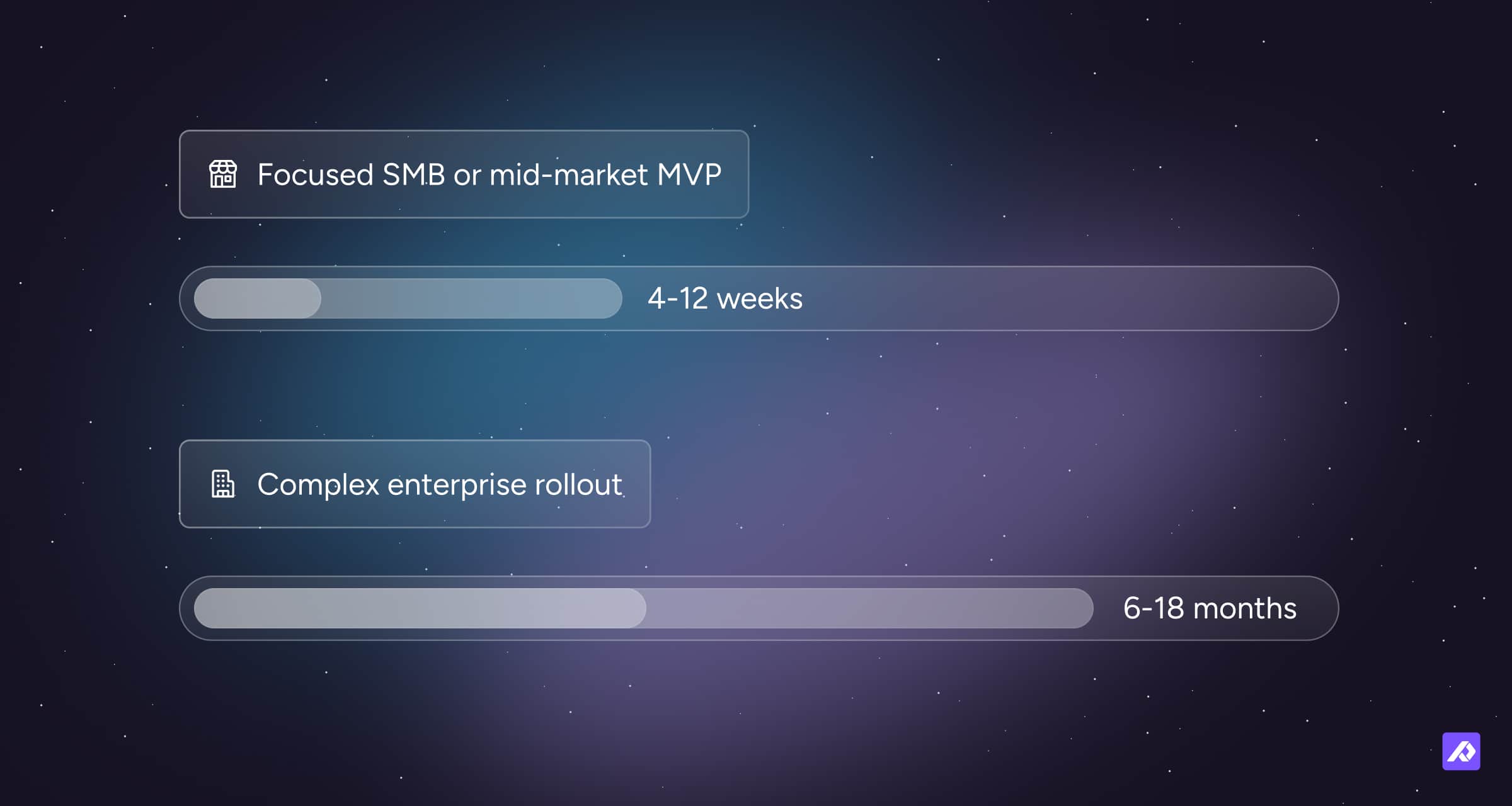
This PIM rollout timeline depends less on the software itself and more on how structured your data, scope, and ownership are before implementation begins.
A simple way to think about it is this:
- The first milestone is not “everything is perfect.”
- The first milestone is “we have one trusted model, one live workflow, and one meaningful set of products or channels running through it.”
That is why MVP-first projects tend to move faster and create less chaos in year two.
Lifecycle benchmarks by phase
Below is a practical breakdown of the typical PIM implementation phases and how they shape your overall PIM project timeline. These are planning ranges, not promises.
| Phase | SMB / Mid-market MVP | Enterprise rollout | What usually decides the timing |
|---|---|---|---|
| Preparation | 1 to 2 weeks | 1 to 2 months | Executive sponsor, data audit, scope discipline |
| Design | 2 to 3 weeks | 2 to 3 months | Taxonomy, attributes, variants, ownership sign-off |
| Execution | 3 to 4 weeks | 3 to 6 months | Migration effort, cleansing, integrations, testing |
| Optimization | Ongoing | 3+ months after go-live | Governance, training, rollout expansion |
Phase 1: Preparation
Preparation is the first step in any PIM onboarding timeline, and it often determines whether the rest of the project moves quickly or stalls.
For smaller teams, this can be done in a week or two. For larger organizations, this often takes one to two months because it involves stakeholder alignment, source-system mapping, and deciding what the first release actually includes.
What should happen in preparation?
- Decide the business goal for phase one
- Audit product sources and file formats
- Define what the PIM will own and what it will not
- Pick the first product set, market, or channel to launch
- Assign one clear project owner
If this phase feels slow, that is usually a good sign. It is much cheaper to argue over structure now than after 20,000 products are loaded.
Phase 2: Design
Design is where the team defines how the catalog will actually work.
This phase usually covers taxonomy, attribute structure, variant logic, reference data, completeness rules, and workflows. In smaller SaaS projects, this can move quickly when the product model is relatively straightforward.
In more complex environments, design can take months because every unresolved choice multiplies downstream work in migration and governance. This is also the phase where the overall time to implement a PIM can expand quickly if decisions are delayed or ownership is unclear.
The practical rule here
Do not design for every possible future edge case on day one.
A minimum viable model is usually better than an “ultimate architecture” that takes so long to approve that the project loses momentum.
Phase 3: Execution
Execution is typically the longest part of the PIM rollout timeline, and it is where the project stops being theoretical.
This phase usually includes data cleansing, import mapping, workflow setup, user testing, and the first integrations. It is almost always the longest phase because it is where hidden catalog problems become visible.
Common execution tasks
- Clean and normalize source data
- Map source fields to PIM attributes
- Import products and assets into staging
- Test completeness logic and workflows
- Connect priority systems and outputs
- Run pilot products or categories before broad rollout
This is also where teams learn the difference between a fast project and a rushed one.
Phase 4: Optimization
Optimization is not a bonus phase. It is what turns a PIM launch into a stable operating model.
After go-live, teams usually need time to refine governance, improve adoption, expand categories, add channels, and fix the small structural choices that only become obvious in real use.
This phase extends beyond the initial PIM implementation timeline and marks the shift from project to ongoing operation.
What usually happens after launch?
- More product families get added
- More users and teams come in
- More channels are connected
- More rules and workflows are formalized
- More exceptions get discovered
The project is “done” only in the way a website redesign is done. The first version ships. Then real life happens.
Benchmark ranges by catalog size and complexity
These benchmarks help contextualize your expected time to implement a PIM based on catalog size and operational complexity.
Under 5,000 SKUs
A focused retail or ecommerce team with straightforward attributes, one core store, and limited integrations can often get an MVP live in 4 to 10 weeks.
5,000 to 50,000 SKUs
This is where a lot of mid-market PIM projects live. A realistic timeline is often 2 to 6 months, depending on the number of product families, variants, source systems, and regions.
50,000+ SKUs or multi-region enterprise catalogs
Once you add multiple business units, languages, ERPs, channels, supplier feeds, or compliance requirements, timelines expand quickly. That is where 6 to 18 months becomes realistic, especially when rollout is phased by region, category, or brand.
Benchmarks by business type
Retail and ecommerce
Retail tends to move faster when the main goal is cleaner product content across a manageable number of channels. A smaller retail catalog with fewer than 5,000 SKUs can often launch in roughly 6 to 10 weeks if the scope is tight and the team is not rebuilding its taxonomy mid-project.
Manufacturing
Manufacturing timelines are usually longer because the product model is more technical. You often have more structured specs, accessory relationships, compatibility logic, and documentation requirements. That pushes implementations closer to the longer mid-market or enterprise range.
Wholesale and distribution
Distributors often face the hardest onboarding problem: lots of supplier data in lots of formats. Even when the PIM itself is straightforward, supplier normalization and ERP alignment can stretch the schedule.
The biggest things that make a PIM timeline longer
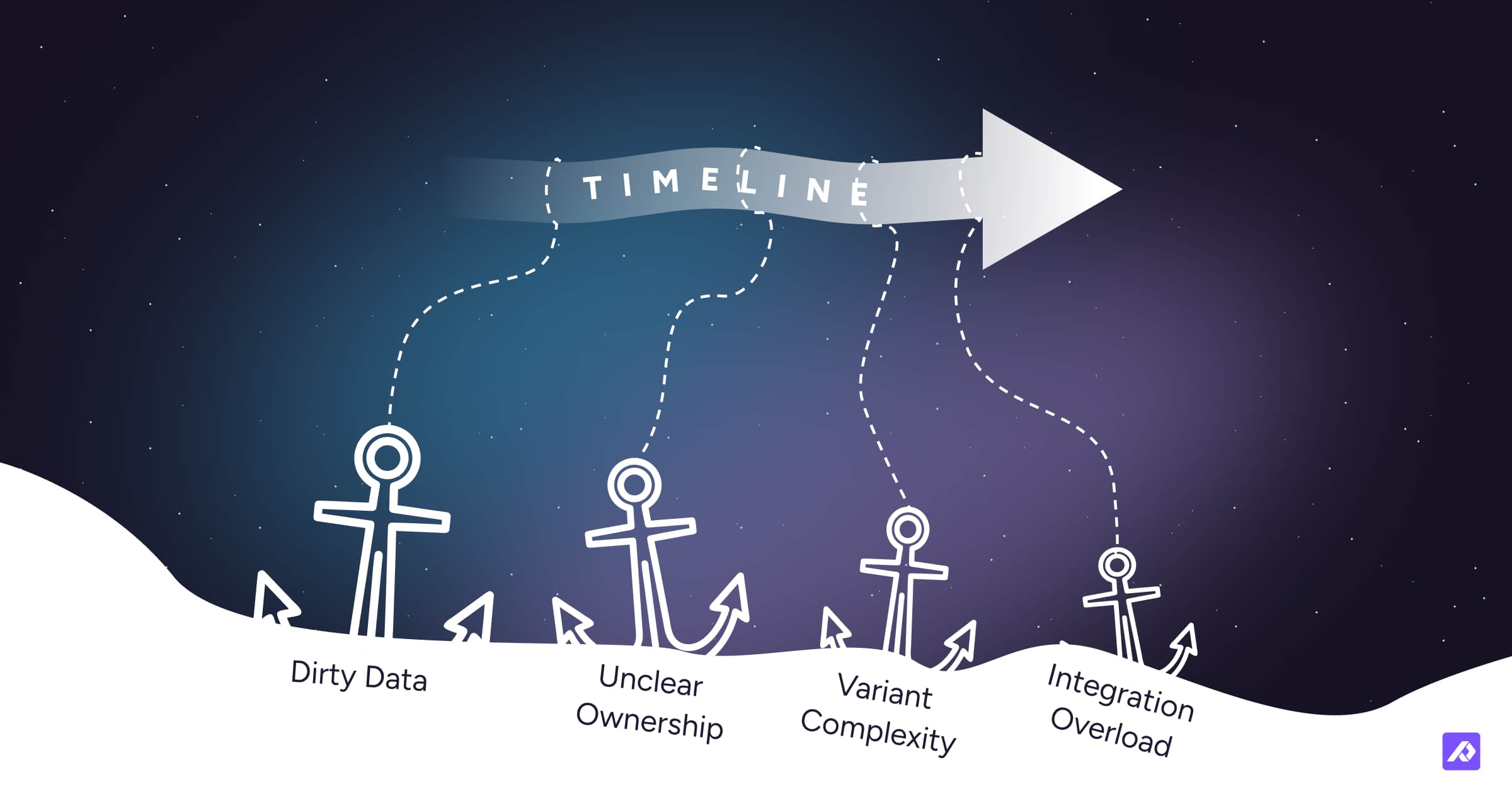
Dirty data
If product information lives in spreadsheets, ERP exports, supplier PDFs, and shared drives, migration takes longer.
Unclear ownership
When marketing thinks engineering owns attributes, engineering thinks ecommerce owns them, and nobody owns approval logic, projects stall. This is usually the real reason design drifts.
Variant complexity
Variants are where otherwise reasonable timelines go to become very ambitious. If parent-child logic, market-specific naming, bundle relationships, or compatibility rules are unresolved, expect delays.
Too many integrations in phase one
ERP, DAM, ecommerce, marketplace feeds, translations, print, PDFs, dealer portals, and compliance tools all sound sensible. Doing all of them at once usually is not.
Turf wars
If teams are still debating whether the PIM is stepping on ERP, MDM, or PLM territory, add 1 to 2 weeks in smaller projects and potentially much more in larger ones.
What usually makes a PIM project go faster
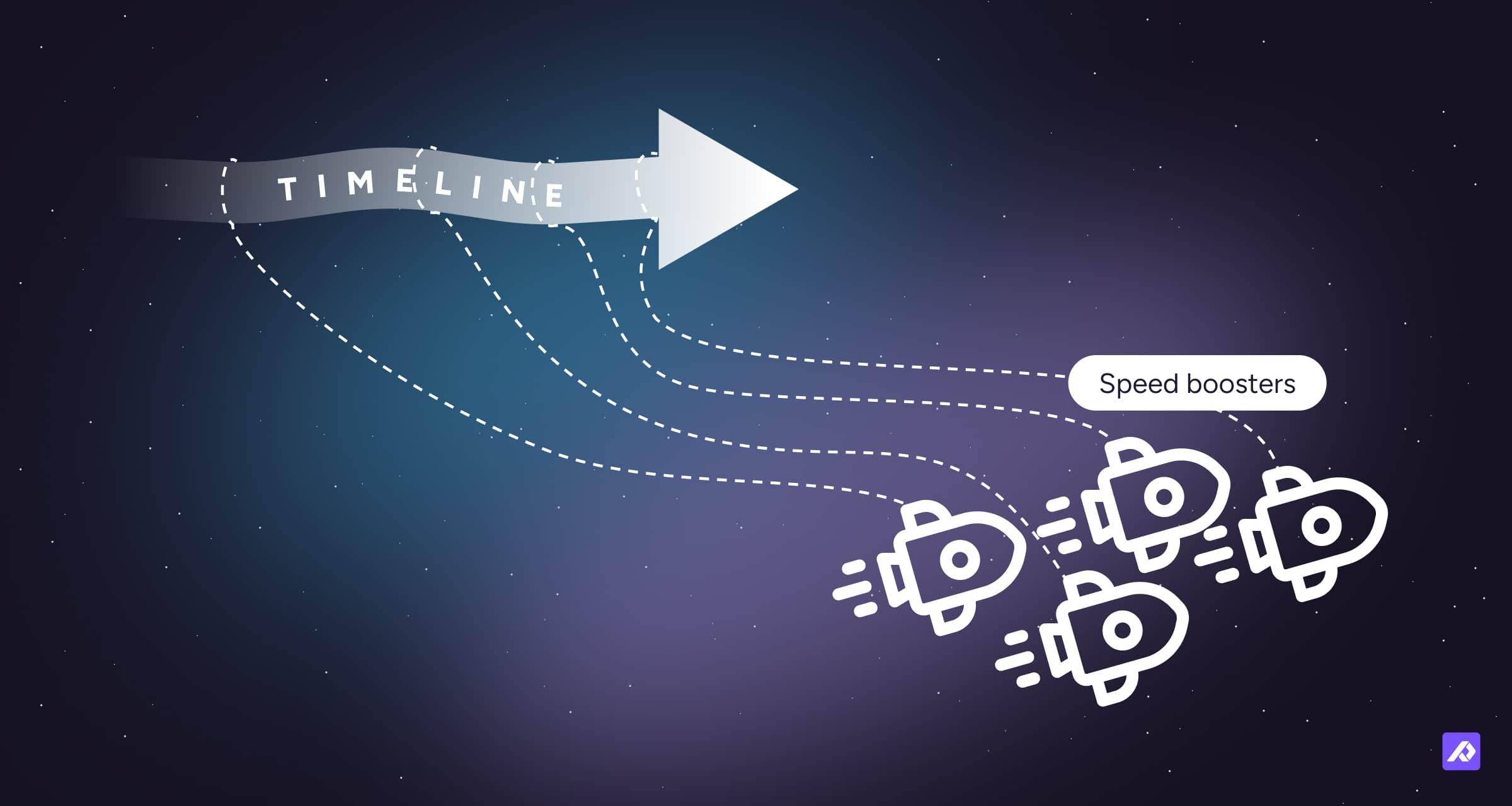
Start with an MVP
The fastest implementations do not start with the whole business. They start with the slice that matters most.
A useful planning principle is to begin with the 20 to 25% of the catalog that drives the most commercial value, then expand once the model, workflows, and integrations are proven.
Use SaaS when you can
SaaS usually wins on speed because you avoid infrastructure setup and can focus on modeling, migration, and workflows.
Build the model before the exception list
If you start with edge cases, your phase-one timeline will balloon. Start with the repeatable structure first.
Pilot before broad rollout
Run a pilot family, category, or market first. It is much easier to fix assumptions with 500 products than with 50,000.
Pro tips from real-world PIM projects
1. MVP-first beats “big bang”
A lot of teams think a faster project means doing everything at once. It usually means the opposite.
Start with one high-value product set, channel, or market, then expand once the model works.
2. Taxonomy drift is expensive
If the taxonomy is unstable during implementation, you usually pay for it twice: once during setup, and again in year two when reporting, enrichment, automation, and exports all need rework.
Lock the core structure for phase one before you start loading products at scale.
3. Integration ambition should match project maturity
You do not need every connector live on day one to prove value. You need the right ones.
Tier integrations into must-have now, next phase, and later.
4. Governance is part of implementation, not post-implementation cleanup
If nobody owns the content rules, the PIM just becomes a nicer place to store inconsistency.
Assign clear owners for structure, enrichment, approvals, and exceptions before go-live.
5. Guided models can compress early phases
Teams usually move faster when they start from a proven implementation model instead of inventing the whole structure from scratch. Plytix helps teams start with practical scoping, guided onboarding, and a clean core model so they can get to a usable setup much sooner.
Choose a vendor or partner with a clear onboarding method, not just software.
Future factors shaping PIM timelines in 2026 and beyond
AI is speeding up enrichment and modeling
AI can reduce manual setup and content work, especially in early modeling and repetitive enrichment.
Compliance is adding complexity
Digital Product Passport requirements and broader compliance expectations mean product data structures increasingly need to support traceability, identifiers, and compliance-ready records.
In plain English: AI may help you move faster, but regulation may force you to model more carefully.
Final Thought
A good PIM implementation timeline is not always the shortest one. It is the one that gets you to a stable source of truth without creating expensive cleanup later.
For most teams, the right question is not, “How fast can we install a PIM?” It is, “How fast can we launch a clean, workable core that the business will actually use?”
That is usually the difference between a PIM project that compounds and one that quietly turns back into spreadsheets.
Frequently Asked Questions
Usually: SaaS, narrow scope, one core catalog slice, limited integrations, and a team that agrees on ownership.
Dirty data, variant complexity, unclear field ownership, and trying to connect too many systems in phase one.
Not by itself. A small messy catalog can take longer than a large well-structured one.
In most cases, yes. SaaS removes infrastructure setup and tends to shorten time to first value.
When the rollout includes multiple regions, business units, languages, governance layers, supplier data sources, or major ERP and commerce integrations.