
PIM Implementation Guide
TL;DR
- PIM implementation is the process of turning scattered product data into a single source of truth your team can use and trust.
- In most cases, implementation follows four phases: preparation, design, execution, and optimization.
- The hardest part is usually not the software. It is cleaning up the data, simplifying the process, and getting teams aligned.
- A strong PIM setup should support everyone who works with product data, from product and operations to ecommerce, IT, and marketing.
- Good implementation does more than organize data. It helps turn product content into a growth asset that is easier to enrich, publish, and scale.
Why PIM implementation matters more now
PIM implementation matters more now because product content has become part of how companies grow.
More channels, higher buyer expectations, and more compliance demands all put pressure on product data. Customers expect accurate, complete, and trustworthy product information wherever they find you. Teams need content that can move faster across websites, marketplaces, feeds, retail partners, and new channels without turning into a manual mess.
That is why a PIM is no longer just a place to store product data. Done well, it becomes the system that helps the business create better product content, publish it more consistently, and support growth with less rework.
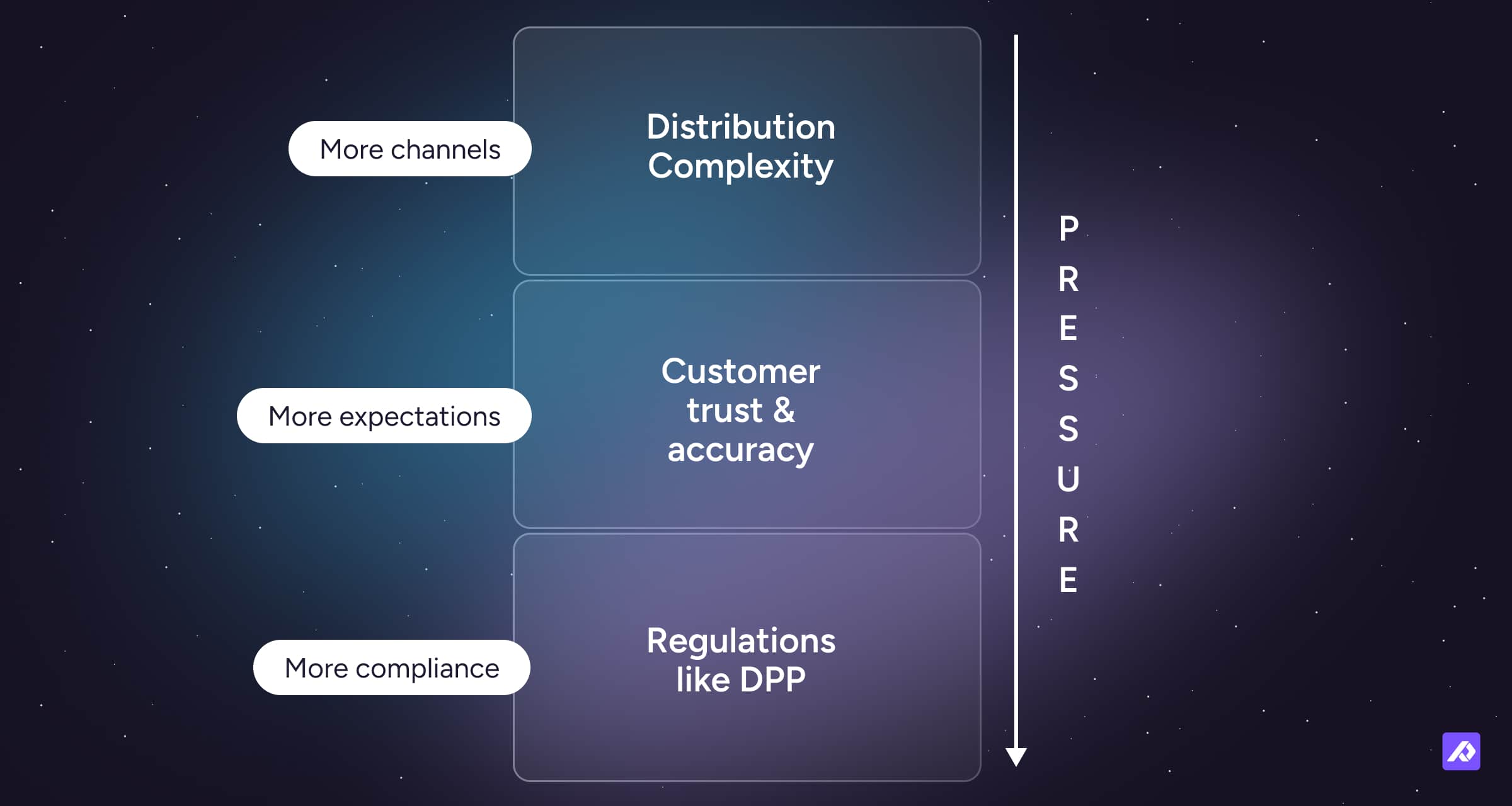
There is also a practical side to this. Poor product data slows launches, creates confusion, and wastes team time. And as regulations like Digital Product Passport, or DPP, become more relevant, businesses need a setup that can support more than basic product fields.
What is PIM implementation?
PIM implementation is the work of turning product data from a scattered problem into a system your team can actually run on.
That usually includes reviewing your current data, setting up categories and attributes, structuring variants and relationships, connecting other systems, and deciding how product information will be managed over time.
In simple terms, implementation is what turns a PIM from software you bought into a working part of your business.
What does a successful PIM implementation create?
A successful PIM implementation creates a single source of truth for product information.
That means teams are no longer pulling product details from different spreadsheets, inboxes, supplier files, and systems that do not agree. Instead, they work from one shared structure with clearer ownership, cleaner data, and better rules for how content moves.
That matters because product data is not just operational. It feeds product pages, channel listings, catalog exports, campaigns, and customer trust. When the setup is right, product content becomes easier to improve and easier to scale. That is one reason content can become a real growth asset, not just a maintenance job.
The 4 phases of PIM implementation
Most PIM implementations follow the same basic path. First, you prepare. Then you design the structure. Then you execute the migration and integrations. Then you optimize the system so it holds up over time.
The names may vary, but the logic is usually the same.
| Phase | What it includes |
|---|---|
| Phase 1: Preparation and alignment | Goals, team roles, current-state review, and data audit |
| Phase 2: Design and architecture | Taxonomy, attributes, variants, rules, and system ownership |
| Phase 3: Execution and migration | Imports, mappings, integrations, testing, and rollout |
| Phase 4: Optimization and governance | Training, ownership, quality checks, and ongoing improvement |
Phase 1: Preparation and alignment
This phase is about getting clear before you start building.
Many implementation projects drift because teams jump into setup before they agree on what problem they are trying to solve. One team wants faster launches. Another wants better channel exports. Another wants fewer errors. All of those goals matter, but they can lead to different decisions.
Start with a few plain questions:
- What is slowing us down today?
- Which teams will use the PIM?
- Which channels or markets matter most right now?
- What product data problems are costing us time or money?
- What would a good result look like in the next few months?
This is also the phase where you look honestly at your current data. In many businesses, product data lives in more places than people realize. Some of it is in an ERP. Some is in spreadsheets. Some is in supplier files. Some is in ecommerce tools. And some of it lives in somebody's head, which is usually not the best long-term plan.
A data audit helps you find:
- missing attributes
- duplicate products or SKUs
- inconsistent naming
- conflicting values across systems
- outdated categories
- incomplete images or assets
- channel-specific gaps
A good starting move is to score your data readiness before implementation begins. You do not need a perfect system for that. You just need a realistic view of how clean, complete, and usable the data is today.
Who should be involved early?
PIM implementation should involve more than one team because product information touches more than one team.
Even if one person leads the project, the setup often affects ecommerce, operations, product, marketing, and IT.
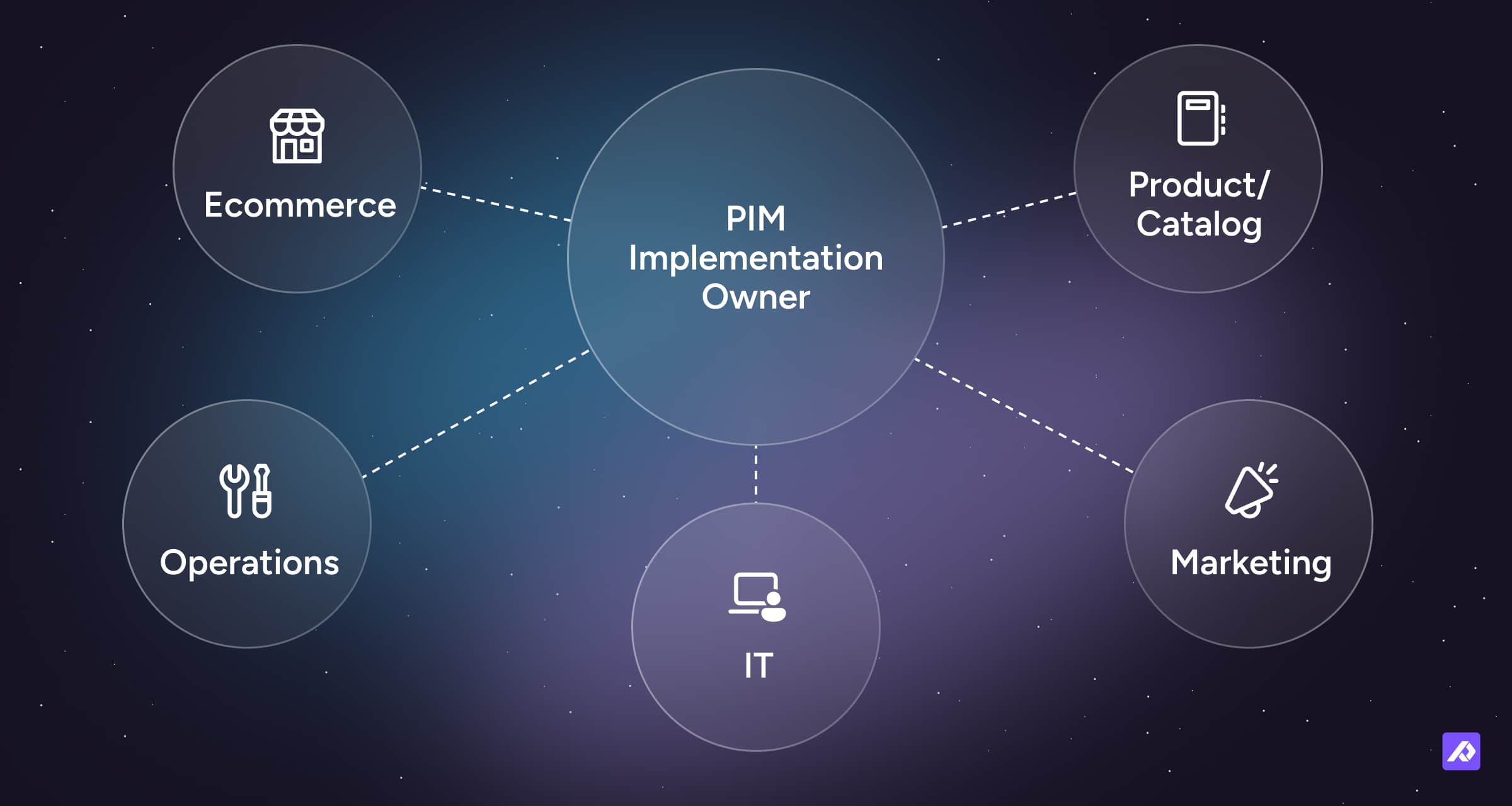
Common roles include:
- project owner or internal champion
- ecommerce lead
- product or catalog manager
- operations lead
- IT or systems lead
- marketing content owner
- implementation specialist or partner
The companies that handle implementation well usually have one thing in common: someone owns the project internally. A vendor or partner can guide the work, but the business still needs a clear decision-maker.
Phase 2: Design and architecture
Once you understand the data, you can decide how products should be organized inside the PIM.
This is the phase where you build the framework your team will use every day. Depending on your business, that may include:
- product categories
- attribute groups
- required and optional fields
- product families
- variants
- parent-child relationships
- asset links
- completeness rules
This part matters more than it may seem at first. Good structure makes products easier to enrich, search, filter, export, and maintain. Poor structure creates confusion that spreads into everything else.
What makes a good PIM structure?
A good PIM structure is simple, consistent, and built around how your products actually work.
That usually means:
- attribute names are clear
- categories make sense
- shared attributes can be inherited from broader product groups
- values follow consistent naming and units
- variant logic matches real product differences
- required fields support quality without blocking useful work
- teams can understand where data belongs without guessing
The best structures are often the least dramatic. People know where things go. They know what complete means. And they do not need a long training deck every time a new product is added.
Why data modeling matters
Data modeling sounds technical, but the basic idea is simple. It is about deciding how product information should be structured so it stays usable as the catalog grows.
This is where teams often make one of the biggest mistakes in implementation. They assume the goal is to move every old field, attribute, and workaround into the new system. But a PIM is meant to improve the process, not just copy it.
Some attributes only existed because the old setup was limited, messy, or spread across too many tools. A better system should help you question what still matters, what can be simplified, and what no longer needs to exist at all.
This is also the right time to think about the future without overbuilding. For example, will you need to support more compliance data later, including Digital Product Passport requirements? Will the structure still work as more teams, channels, and products get added? A strong setup should be flexible enough to grow without becoming harder to use.
Phase 3: Execution and migration
Once the structure is ready, you can start product data migration, moving your data into the system and connecting the PIM to the rest of your stack. A phased product data migration approach is often safer than trying to move everything at once.
This usually means mapping source fields to PIM attributes, checking formats, testing imports, and making sure records behave the way you expect once they are inside the platform.
Starting smaller is often the safer move. Instead of trying to complete all product data migration at once, many teams begin with one category, one brand, one region, or one important slice of the catalog first.
That gives you room to test whether:
- mappings are correct
- attributes behave the way you expected
- variants are grouped correctly
- required fields are too strict or too loose
- users can actually work with the imported records
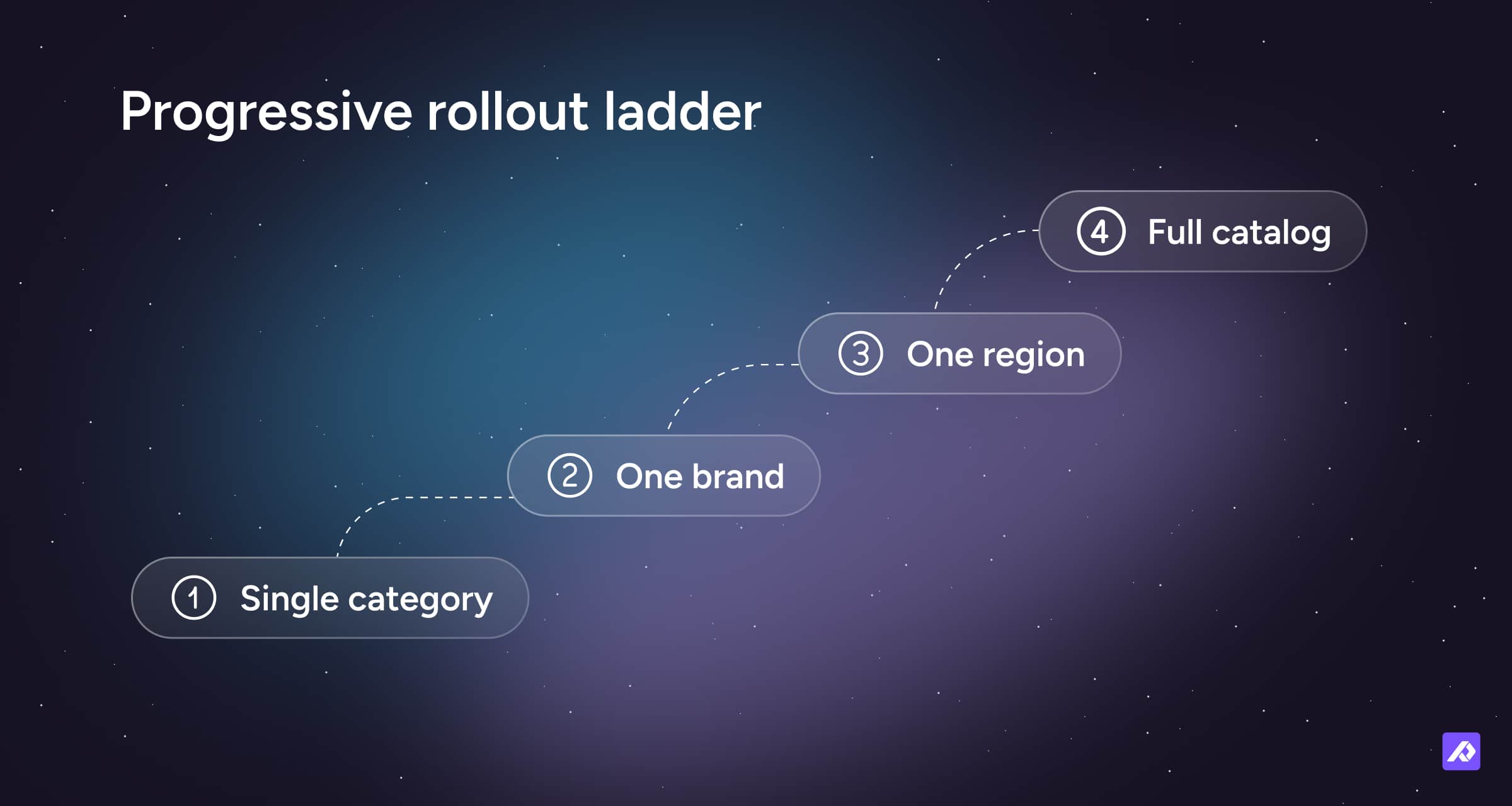
The goal is not just to move data. It is to prove that the new structure works in real life.
What systems should connect to the PIM?
A PIM works best when it is part of a wider system, not a tool sitting off to the side.
That usually means connecting it to the tools that send product data in or receive product data out.
| System | What it usually handles |
|---|---|
| ERP | Operational data such as SKUs, stock, and pricing |
| Ecommerce platform | Product listings, storefront content, and publishing |
| DAM | Images, videos, manuals, and other digital assets |
| Feed or channel tools | Marketplace exports and channel-specific formats |
| Translation tools | Localized content for different markets |
A helpful way to think about it is this: your ERP often handles fast-changing operational data, while your PIM handles the descriptive product content customers actually see.
That content is not just there to fill fields. It is what powers product pages, channel listings, brand consistency, and discoverability. That is why content quality and content flow matter so much during implementation.
What should teams ask about integrations?
A vendor demo may make integrations look easy, but real-life volume is different. Large imports, channel updates, or peak season changes can expose rate limits or slow performance.
This does not mean every business needs a deep technical audit. But it does mean implementation teams should ask how the system performs under load, not just when everything is calm.
Phase 4: Optimization and governance
Go-live is not the finish line. It is the point where the setup starts getting tested in daily work.
That is why implementation does not end with imports and integrations. You also need clear rules for how product information moves through the business.
That includes deciding:
- who owns which parts of the data
- who can edit what
- how products move from draft to approved
- what ready for channel means
- how new attributes or categories get added
- how quality gets checked over time
Without this, even a well-set-up PIM can slowly slide back into chaos. People create workarounds, skip steps, or save information somewhere else because they are not sure what the process is.
Good governance does not have to be heavy. It just has to be clear.
How do you keep the system healthy after launch?
One thing that often gets missed is that a good PIM should make space for everyone who works with product data. Product teams, IT, operations, ecommerce, and marketing may all need something different from the system. If the setup only works well for one team, it usually does not hold up for long.
That is why it helps to define roles early. Decide which system owns which type of data, who approves changes, and how teams work together when responsibilities overlap. A strong PIM should not create turf wars. It should make it easier for different teams to work from the same source of truth.
It also helps to review the taxonomy over time. A structure may look clean at launch and still fall apart later. This often happens when teams start adding catch-all categories, duplicate attributes, or one-off exceptions just to get work done.
That is usually not a sign that people are failing. It is a sign the structure needs review. A healthy PIM needs regular cleanup and clear rules for when the taxonomy should change.
Where does AI fit in?
AI can help speed up enrichment, translation, and content creation. But AI is only as useful as the data underneath it.
If your attributes are incomplete, inconsistent, or unclear, AI will not fix that foundation. It may only produce faster confusion. That is why clean structure and clear data still matter, even in 2026.
If you want the bigger picture, this is also where it helps to think beyond PIM alone and look at how product data supports growth across the business. For that, see: What is Plytix?
How long does PIM implementation take?
PIM implementation can take a few weeks or several months depending on how complex your setup is.
A smaller catalog with cleaner data and fewer systems can move faster. A larger rollout with messy data, multiple markets, and lots of approvals will usually take longer.
The biggest factors are usually data quality, catalog complexity, integrations, stakeholder involvement, and team availability.
The software setup is often not the slowest part. Untangling the real-world process usually is.
If you want a more detailed breakdown of phases and pace, see: PIM implementation timelines.
Should you launch all at once or roll out in phases?
Most teams are better off with a phased rollout.
That means starting with one category, one region, one team, or one channel first, then expanding once the setup is working. It lowers risk and makes it easier to spot problems before they spread.
A full launch can work for smaller or simpler businesses, but it gives you less room to adjust if something is off.
In most cases, the goal is not to launch the biggest version first. It is to launch a version that holds up.
What are the most common PIM implementation mistakes?
Most PIM implementation problems are not caused by the software. They come from rushing the setup, skipping data work, or leaving too much undefined.
Here are some of the most common mistakes:
Importing bad data without cleaning it first
If the source data is incomplete, inconsistent, or duplicated, those problems will follow you into the new system. That is why it helps to look for a PIM or platform that understands this challenge and supports the cleanup process, not just the storage part.
Rebuilding old chaos in a new tool
Some teams recreate the same confusing structure they had in spreadsheets because it feels familiar. That usually makes the new system harder to use, not easier.
Making everything mandatory too early
Required fields help with quality, but too many strict rules on day one can make the system frustrating and slow.
Leaving ownership unclear
If nobody clearly owns a process, people start finding side routes around it.
Treating implementation as only a technical project
PIM changes how teams work together. If the people side is ignored, adoption usually suffers.
Stopping the work at go-live
Go-live is not the finish line. It is the point where the setup starts getting tested in daily work.
What does a successful PIM implementation look like?
A successful PIM implementation gives your team a reliable way to manage product information without so much confusion, rework, or guesswork.
You should start to see signs like:
- fewer spreadsheets and workarounds
- faster product updates
- more consistent product content
- clearer ownership
- easier onboarding of new products or suppliers
- smoother publishing to channels
- better visibility into data completeness
Success does not mean everything is perfect on day one. It means the system is usable, trusted, and getting better over time.
How should you measure PIM implementation success?
You should measure PIM implementation success with a mix of speed, quality, and adoption metrics.
Useful KPIs often include:
| KPI | What it helps measure |
|---|---|
| Time to publish | How quickly products move from raw data to live channels |
| Data completeness | Whether required product information is filled in |
| Error rate | How often products need rework or fail channel checks |
| Manual touchpoints | How much repetitive work has been reduced |
| Channel readiness | How easily products can be published to different destinations |
| User adoption | Whether teams are actually using the system |
| Listing or return issues | Whether better data is improving downstream results |
The right KPIs depend on your original goals. If your main problem is slow launches, measure speed. If your main problem is poor data quality, measure completeness and errors.
Is PIM implementation worth it?
PIM implementation is worth it when product data is starting to slow your business down.
That does not only apply to huge enterprise companies. It also applies to growing businesses that manage too many products, channels, systems, or manual handoffs for their current setup to keep up.
A PIM is usually worth considering when:
- product information lives in too many places
- updates take too long
- teams keep duplicating work
- channel requirements are hard to manage
- content quality affects conversion, returns, or trust
- growth is making the current process harder to maintain
Implementation takes work. But continuing with a system that no longer fits also takes work. One of those paths tends to scale a lot better.
Final Thought
PIM implementation is the process of turning scattered product data into a single source of truth your team can use with confidence.
The strongest implementations usually do a few things well. They start with clear goals, clean up the source data, build a practical structure, connect the right systems, and create ownership after go-live.
It is part software setup, part process design, and part team alignment. When those pieces come together, a PIM becomes more than a place to store product data. It becomes a better way to run it and a stronger foundation for product content that supports growth.
Frequently Asked Questions
A PIM implementation usually includes planning, data cleanup, structure design, product import, integrations, workflow setup, and user rollout.
Some teams also include localization, channel mapping, asset setup, and governance planning.
PIM implementation can be simple or complex depending on your catalog, systems, and processes.
The software is only one part of it. The harder part is usually cleaning up the data and agreeing on a better process.
Yes. Many teams start with one category, one market, or one channel first.
A phased rollout is often the safer approach because it gives you a chance to test the setup before expanding it.
Usually, one internal project owner leads the work, with support from ecommerce, product, operations, marketing, and IT.
The exact title may vary, but someone should clearly own decisions, priorities, and progress.
Many teams start seeing value during implementation, especially when the data becomes cleaner and easier to manage.
The full return takes longer, but faster updates, less manual work, and more consistent product content often show up early.
After go-live, the focus usually shifts to adoption, improvement, and governance.
That may include refining workflows, adjusting the structure, improving completeness, and expanding the setup to more products, teams, channels, or markets.
Product data migration is the process of moving product information from existing systems, spreadsheets, or databases into a PIM while cleaning, mapping, and restructuring it for consistency.