
PIM vs PXM: What’s the Difference?
TL;DR
- PIM (Product Information Management) is a system for managing product information.
- PXM (Product Experience Management) is an approach to delivering better product experiences.
- PXM is not a replacement for PIM.
- Most PXM strategies are powered by a PIM.
- PIM ensures your product listings stay accurate, consistent, and easy to buy from, while PXM is the strategy for how you use that data to drive sales.
- When evaluating “PXM” platforms, assess the capabilities, not the label.
PIM vs PXM: What problem is each designed to solve?
Product information management vs PXM is often used to describe how ecommerce teams separate data management from customer experience.
PIM and PXM are often mentioned together, but they solve different problems.
A PIM is designed to manage product information at scale. Its role is to centralize, structure, enrich, and distribute product data so it stays consistent across channels, markets, and customer journeys.
PXM focuses on the experience customers have with that information. Its role is to make product content feel relevant, clear, and helpful wherever customers encounter it.
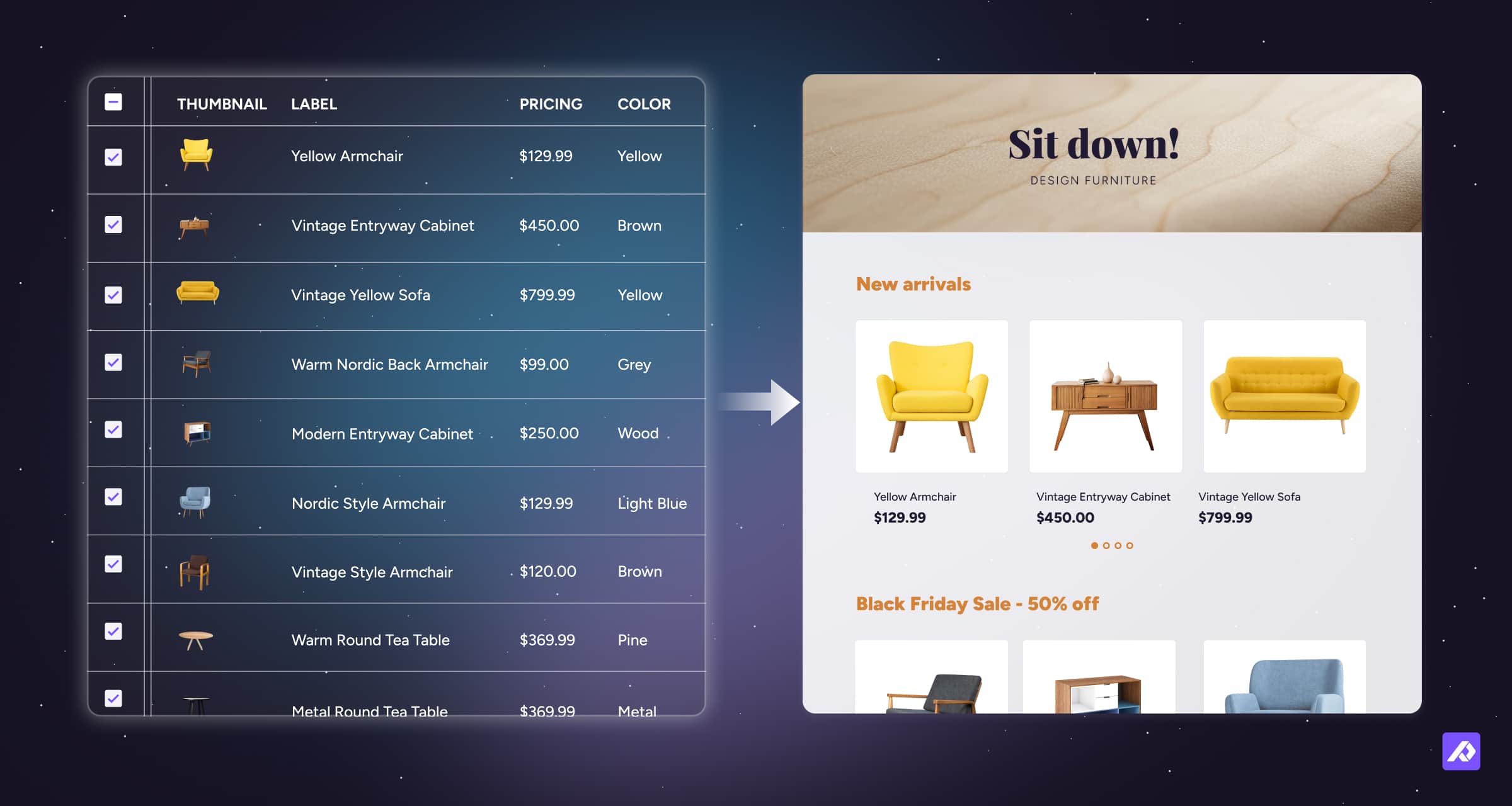
In short: PIM manages product data. PXM focuses on how that data is experienced.
Is PXM a tool or a strategy?
Understanding product information management vs pxm helps clarify whether PXM is a tool or a strategy.
PXM is best understood as a strategy.
It describes the outcome companies are aiming for: product information that adapts to different channels, audiences, and contexts without losing consistency.
Many vendors market PXM as a standalone software category, however what is often called a "PXM platform" is usually just a PIM system expanded with features like DAM, syndication, and analytics to support a broader customer experience strategy.
A tool that supports this strategy combines core storage with features from several other systems:
- Digital Asset Management (DAM): Keeps your photos and videos next to your product facts.
- Product Syndication: Automatically sends your data to Amazon, Walmart, or Google.
- Performance Analytics: Tracks how shoppers interact with your products.
- Contextual Tools: Changes content based on a shopper's location, language, or device.
If you’re trying to choose between “PXM” tools, focus on whether the system can deliver consistent product information across every channel, with the DAM, syndication, analytics, and localization features you need, regardless of what the vendor calls it.
PIM vs PXM at a glance
| Feature | Product Information Management (PIM) | Product Experience Management (PXM) |
|---|---|---|
| Think of it as... | Your clean, organized warehouse | Your beautiful storefront window |
| Main Job | Storing the Master Data | Telling a story that sells |
| Internal vs External | For your team to stay sane | For your customers to feel confident |
| Who owns it? | Operations & Data Teams | Marketing & eCommerce Leads |
| Winning looks like... | No data errors and fast launches | Higher sales and fewer returns |
| The "Output" | A clean list of specs | A personalized shopping experience |
How PIM and PXM Work Together?
PIM is the foundation that makes PXM possible.
PIM provides the backend data foundation, while PXM is the frontend strategy you use to turn that data into a persuasive experience.
It manages the structured product data that experiences rely on, including hierarchies, variants, attributes, localized content, and channel‑specific fields.
Without this structure, product experiences quickly break down as catalogs grow and channels multiply. You simply cannot deliver a great customer experience if your underlying information is a mess.
For most ecommerce brands, PXM is not a separate purchase. It’s the natural outcome of using a PIM well.
What does this look like in real life?
In real life, PIM handles the raw specifications of a product, while PXM handles the specific presentation that makes those specifications meaningful to a buyer.
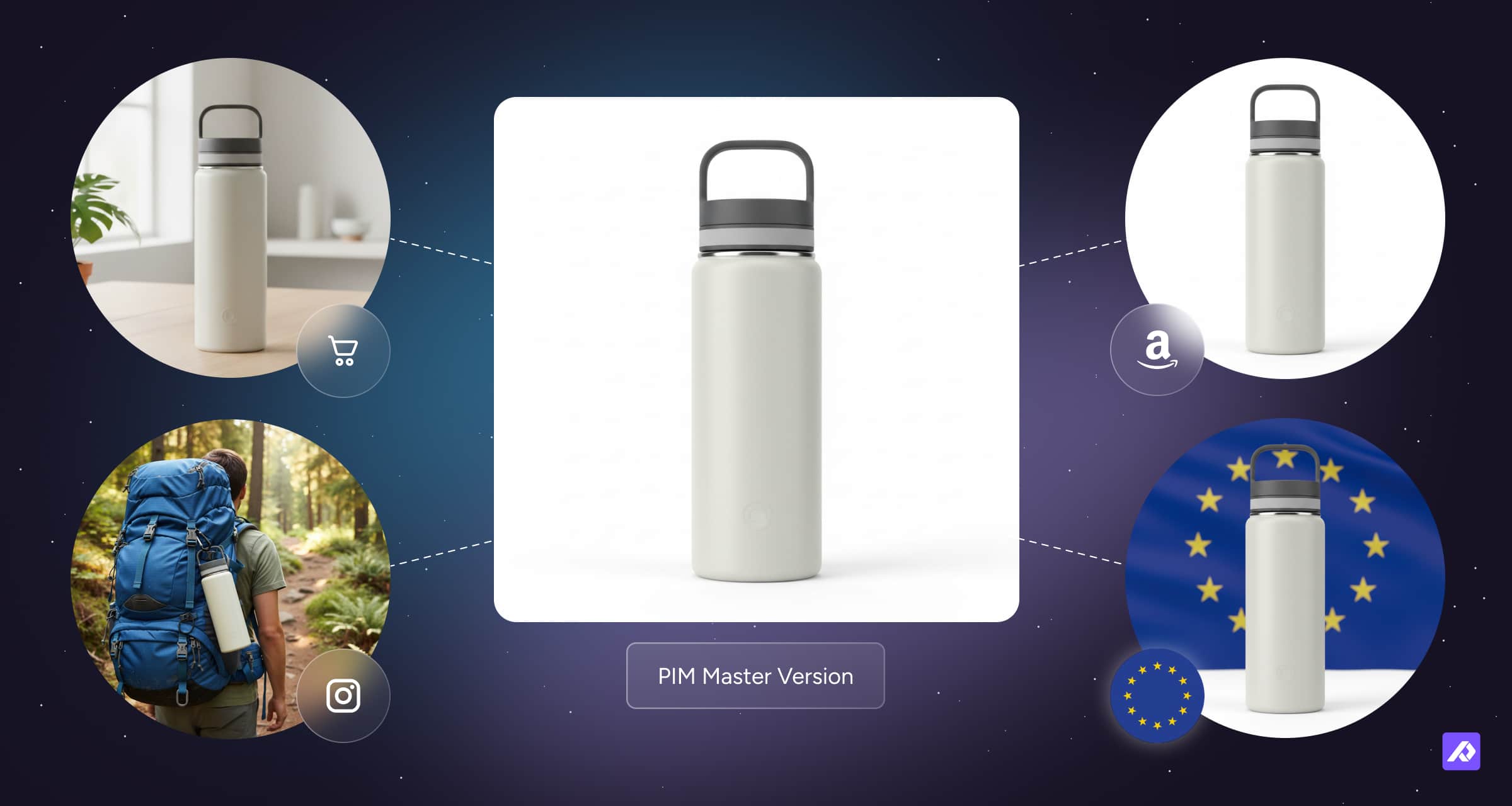
Let's look at how you’d handle a Stainless-Steel Water Bottle.
1. The PIM Phase (The Backend Foundation): You ensure the core specs are solid. You verify the SKU (WB-SS-32-BLU), confirm the material is "Food-grade 18/8 Stainless Steel," and set the official weight to 1.1 lbs. This is the Master Record.
2. The PXM Phase (The Strategic Execution): You take those verified facts and "translate" them for different shoppers:
- For Amazon: You focus on utility and SEO. You use the PIM data to build bullet points like "Double-walled vacuum insulation keeps drinks cold for 24 hours" and include a diagram showing the leak-proof cap.
- For TikTok/Social: You pivot to lifestyle. You skip the technical specs and use a video showing a creator throwing the bottle into a gym bag to prove it doesn't leak. You're selling an aesthetic, not a spec sheet.
- For B2B/Wholesale: For retail partners, the system automatically pulls pallet dimensions, case counts, and MSRP data.
- For a regional partner: When a shopper in Germany visits your site, your product data swaps to "32 oz" to "946 ml," updates the currency to Euros, and translates the copy to German.
Behind the scenes: PIM stores the core facts. PXM orchestrates how those facts are presented so data and experience stay aligned across channels.
The moment you start managing different languages, choosing specific images for certain sites, or writing unique descriptions, you are already executing a PXM strategy.
The PIM ensures the facts are true and there is an organized place to view and manage them, while the PXM strategy ensures those facts are relevant to the person buying.
Essential features for a PXM strategy
If you are selling products online to more than one market, some level of PXM is already part of your daily work. Regardless of whether a platform markets itself as a standalone "PXM" or a "PIM with PXM features," what matters is the functionality it provides to help you adapt your data for the shopper:
| Strategic Pillar | Associated with... | What it Does | Why it Matters |
|---|---|---|---|
| Media Storage | DAM (Digital Asset Manager) | Keeps photos and videos attached to your product facts. | Shoppers buy faster when they see a high-res video of a product in action. |
| Distribution | FMT (Feed Management Tool)/ FMP (Feed Management Platform) | Automatically sends your data to Amazon, Walmart, or Google. | Prevents pricing errors on Amazon when you update your main warehouse data. |
| Personalization | LMS (Language Management System) / TMS (Translation Management System) | Changes content based on location, language, or device. | A shopper in Paris sees metric units and French text automatically, building trust. |
| Performance Tracking | DSA (Digital Shelf Analytics) | Tracks how shoppers interact with products and search rankings. | Shows you that a specific photo is causing more cart additions on mobile than on desktop. |
Final Thought
PIM is the tool you buy to keep your facts straight. PXM is the strategy you use to make those facts sell. You don't need a separate "PXM platform." You need a modern PIM that acts as your home base. If it can hold your photos, talk to your sales channels, and help you tweak your message for different audiences, you’re already doing PXM.
In the world of online shopping, you simply can't win with just one. You need the accuracy of a PIM to stay honest and the persuasion of PXM to stay profitable.
Frequently Asked Questions
No. PXM depends on structured product data. Without a PIM or equivalent foundation, product experiences cannot scale.
In most cases, no. Many modern PIM platforms already support the capabilities needed for PXM when combined with other commerce tools.
In practice, marketing brings shoppers to a product page or listing. PXM determines whether the product information they see is clear, relevant, and compelling enough to convert across different channels and audiences.