
PIM Demo and Proof of Concept (PoC) Playbook
By the Plytix Team · Updated May 14, 2026
TL;DR
A PIM software demo and Proof of Concept (PoC) are where you validate vendor claims using your real product data, workflows, and success criteria.
- Use demos to see how workflows actually work, not just features
- Use a PoC to prove your highest-risk requirements with real data
- Bring sample products, assets, and use case; not hypotheticals
- Define clear pass/fail criteria before starting
- Treat anything that requires customization as risk until proven
- Test how the system will work with future scale and new channels
The goal is simple: move from “this looks good” to “this works for us”.
What is a PIM demo vs. a PIM Proof of Concept (PoC)?
A PIM software demo is a guided walkthrough of the platform. A PoC (Proof of Concept) is a hands-on validation using your data.
Demo:
- Vendor shows how the system works
- You see key workflows end‑to‑end with sample data
- You get a feel for usability and how many steps things take
PoC:
- You prove it works for your specific setup, data model, and channels
- You run a small number of high‑risk use cases in a trial or sandbox
- You measure results against clear success criteria
The demo shows what’s possible. The PoC proves what works with your data.
Demo vs PoC comparison
| Stage | Main goal | Who drives it | Data used | Typical duration | Best for |
|---|---|---|---|---|---|
| Demo | See how the PIM works and whether it could fit your needs | Vendor-led | Vendor data | 30-90 minutes | First look, comparing shortlists, understanding UX and core workflows |
| PoC (Proof of Concept) | Validate that the PIM can handle your real workflows | Shared: vendor config + your team testing | Real product data | 1-3 weeks | Validating complex data models, governance, and multi-channel requirements |
Where does this fit in the buying journey?
A PIM demo and PoC usually happen after you’ve defined your requirements and shortlisted vendors.
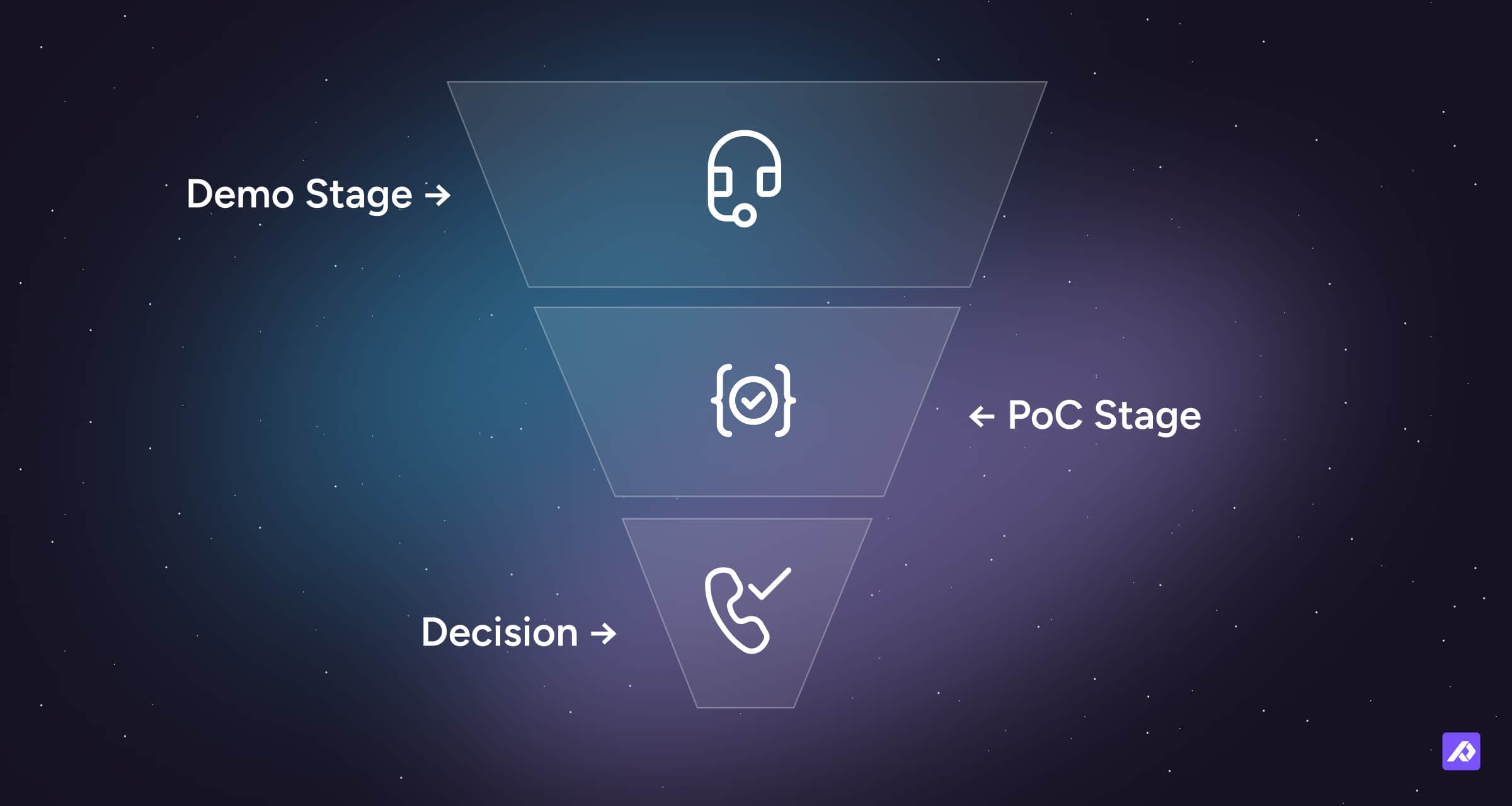
If you’ve run an RFP, this is where you validate the top vendors against the same use cases and success criteria in practice.
If you haven’t run an RFP, treat this stage as your structured evaluation. Define 3-5 key workflows, prepare a sample dataset, and set simple pass/fail criteria before speaking to vendors.
When do you need a PoC (and when you don’t)
Not every PIM evaluation needs a full PoC. You are trading time for risk reduction.
You should run a PoC if:
- Your data model is complex (variants, bundles, multiple markets)
- You rely on multiple integrations (ERP, ecommerce, marketplaces)
- Multiple teams depend on the system (ecommerce, merchandising, marketing, operations, suppliers)
- You’ve identified high‑risk requirements in your RFP or internal scoring (for example, complex inheritance, governance rules, or unique channel needs)
- You expect significant growth in products, channels, or regions and need to know if the system will scale
You can skip or simplify it if:
- Your setup is relatively simple (small catalog, few channels, straightforward attributes)
- A trial environment already proves your use cases
- Speed matters more than formal validation
- You can safely start small and iterate (for example, a single brand or channel first)
A PoC is not about checking every feature. It’s about reducing risk where it matters most.
What to bring into a demo or PoC
Bring the same sample data and use cases you defined during your RFP. If those aren't locked in yet, here's what you need as a minimum.
1. Sample product data (non-negotiable)
Bring a small but realistic dataset:
- 20-50 products
- Variants (sizes or colors)
- Incomplete or messy data
- Multiple attribute types
- Any product relationships that matter (accessories, cross‑sell, bundles)
Clean data hides problems. Messy data reveals them.
2. Real use cases (not feature requests)
Define 3-5 workflows you actually care about. Examples:
- “Launch 100 products to Shopify and GMC with channel-specific attributes”.
- “Import messy supplier templates, normalize attributes, and share them with different retailers”.
- “Demonstrate how user access may be configured so that access to specific data may be restricted based on defined user roles”.
If your use case sounds like a feature (“image resizing”, “bulk edit”), it’s too vague. Turn it into a start‑to‑finish workflow.
3. Success criteria (pass/fail)
Before the demo or PoC starts, define what success looks like. Use these to avoid “it kind of works” outcomes.
Example:
- “A product cannot be published unless required fields are complete”
- “Variants inherit attributes without manual duplication”
- “Pricing can be updated in bulk across the entire catalog without manual edits”
You can also define broader evaluation dimensions like data model fit, usability, integration effort, and scalability, and score vendors against each other after the PoC.
How to make PIM demos relevant to your use case
Most PIM demos fall flat because they’re generic. Vendors show a polished version of the product, but it’s not grounded in your data, workflows, or challenges.
Your role is to give enough context so the demo reflects your reality.
What to ask vendors to do:
- Use your sample data (or something close to it)
- Walk through your top 3–5 use cases from start to finish
- Show the full workflow, not just the end result
What to watch for:
- How many steps does each workflow take?
- Where does manual work appear?
- What feels slow, confusing or unintuitive?
- What requires configuration or customization?
- How easy is it to change the data model as new attributes or channels appear?
How to structure a PIM PoC
A good PoC is focused, time-bound, and measurable. More scope does not equal more clarity.
1. Keep it small
- Duration: 1-3 weeks
- Scope: 2-4 critical use cases that carry the most risk
- Data: your sample dataset
2. Define clear test scenarios
Each use case should become a test scenario with steps and pass conditions.
Example use case: “Launch products across my different sales channels”.
Test steps:
- Import product data from your source (ERP, spreadsheets, suppliers)
- Map attributes to the PIM data model
- Apply validation rules and completeness checks
- Enrich products (copy, images, translations)
- Export or publish to one or two priority channels (for example Shopify and a marketplace)
Pass conditions:
- All required fields are validated and complete
- No manual duplication of data across variants
- Output matches channel requirements and passes channel validations
- Time to complete is acceptable for your team
3. Assign ownership
Decide who does what before the PoC starts.
- Your team: provides data, validates outputs
- Vendor: configures system, supports setup
- Shared: testing and iteration
Without clear ownership, PoCs drift, timelines stretch, and decisions become unclear.
PoC test scenario template
Use this as a starting point for each use case you're validating. Fill it in before the PoC begins.
| Step | Action | Expected outcome | Pass / Fail | Notes |
|---|---|---|---|---|
| 1 | Import a supplier CSV | Auto-map 80% of fields | ||
| 2 | Create 3 variants | Inheritance works | ||
| 3 | Bulk edit “Price” | Instant update | ||
| 4 | Publish to Shopify | Fields map correctly |
What to evaluate during a PoC
Focus on outcomes, not just individual features.
Data modeling
- Can you structure products, variants, and relationships correctly?
- Does inheritance behave as expected?
- How easy is it to change or extend the data model later?
Workflow and usability
- How easy is enrichment, validation, and approval?
- Can non‑technical users operate the system confidently after basic training?
- How does it handle everyday tasks like bulk updates?
Data quality control
- Can you enforce completeness rules and validation checks?
- Can you prevent bad data from being published?
- Can you audit who changed what and when?
Integrations and outputs
- Does the data flow correctly to downstream systems?
- Are exports aligned with channel requirements and formats?
- How much setup is needed to add or change a channel?
Implementation and ongoing effort
- How much manual work is involved in each workflow?
- How much configuration or customization is needed to achieve your use cases?
- Does effort look sustainable as you scale products, users, and channels?
Common mistakes to avoid
Evaluating features instead of workflows
A long feature list does not tell you how work actually gets done. Always bring it back to “how do we launch, enrich, and maintain products day to day?”
Using fake or overly clean data
Real problems only appear with real data. If the vendor insists on only perfect demo data, treat that as a sign to push harder or walk away.
Testing everything
Trying to cover every feature leads to shallow testing. Focus on your highest‑risk areas and the workflows that matter most to your business model.
Skipping success criteria
If you don’t define “done,” everything looks acceptable in the moment. Decide in advance what “pass” means for each use case.
Not involving the right people
A system that works perfectly for the ecommerce team but creates daily friction for merchandising or marketing will cause real problems post-go-live. Validate workflows with the people who will actually use them.
Ignoring red flags
If something is hard during evaluation, it will be harder in production. Pay attention to clunky workflows, missing ownership, or future customization.
How to make the final decision
After demos and PoCs, go back to your evaluation framework from your RFP or internal scoring.
Ask:
- Which vendor handled our highest‑risk use cases best, with the least friction?
- Where did we see unexpected manual work or complexity?
- How confident are we that this will still work when we add more products, languages, channels, or users?
- How clearly are customizations scoped, tested, and supported?
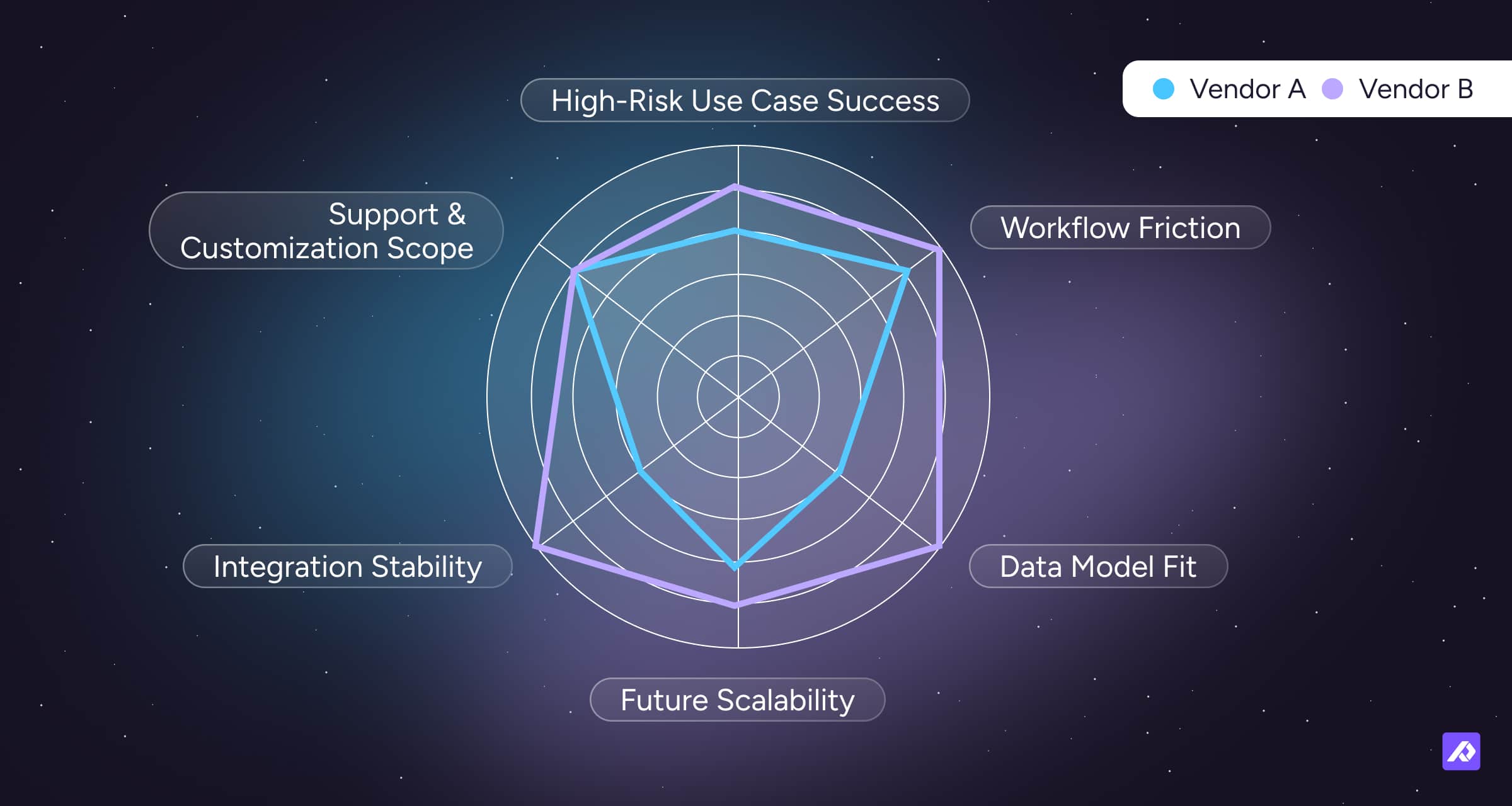
Do not default to the best demo experience. Choose the system that works best with your data, workflows, and future plans.
Final Thought
A PIM demo shows potential. A PoC proves reality.
The teams that get this right don’t pick the most impressive platform. They pick the one that handles their messy data, real workflows, and day‑to‑day operations without friction, and that still makes sense as they scale. That is the difference between a smooth implementation and a painful one.
Frequently Asked Questions
A demo usually takes 30-90 minutes, while a PoC typically takes 1–3 weeks depending on complexity. Demos are quick walkthroughs; PoCs are structured, hands-on validations.
Enough to reflect reality (20-50 products with variants and assets), but not your full catalog. Include examples that show complexity, not just your easiest SKUs.
Yes. Anyone who creates, manages, or uses product data should validate their workflows.
Treat it as a risk. Only accept it if it is clearly scoped, tested in the PoC where possible, and realistic within your budget and timeline.